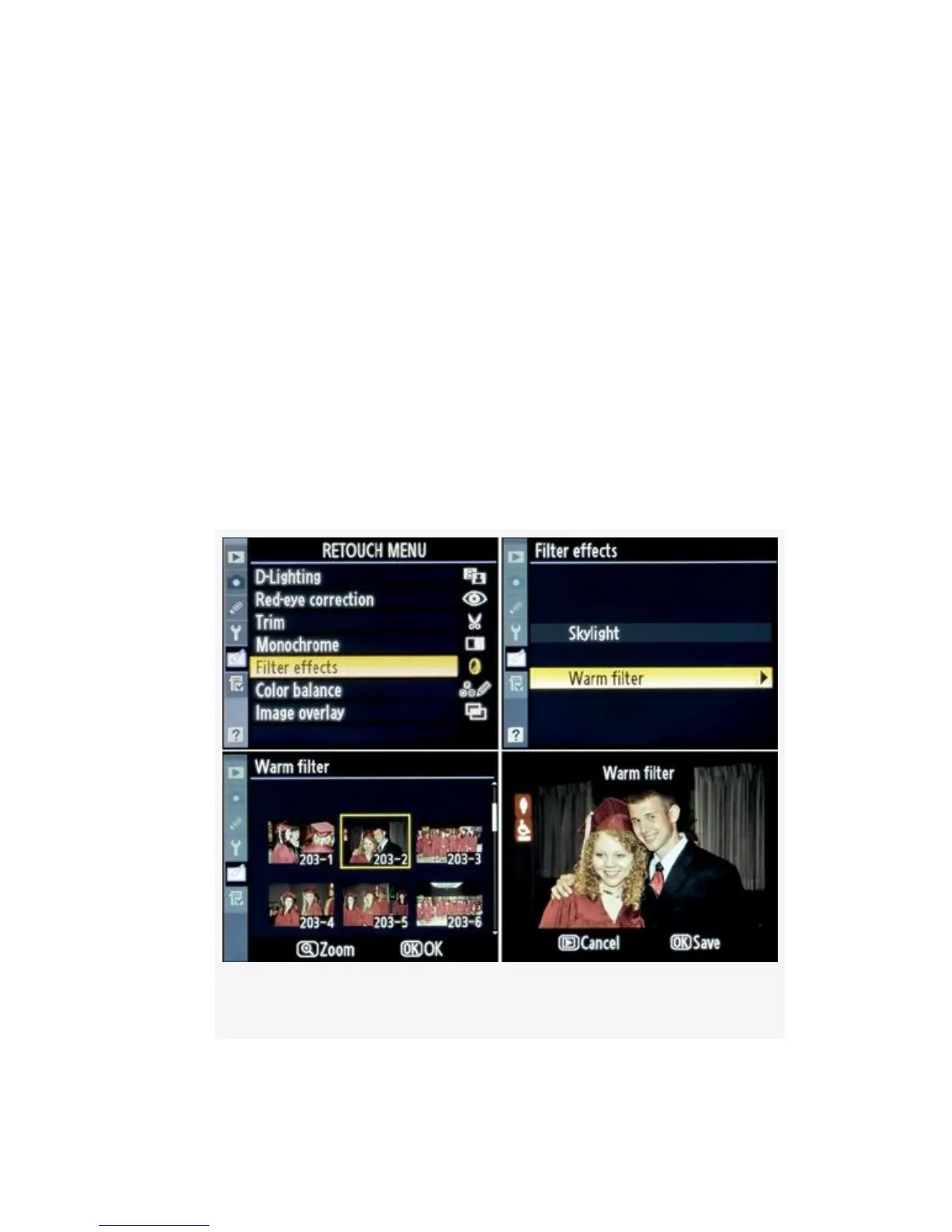
▪ Warm filter – Provides an even stronger warming effect
by adding a reddish tint to the image. This is sort of like
an 81A or Nikon A2 warming filter.
Here are the screens and steps to warm up the image a bit (see
Figure 6-7):
1. Select Filter effects from the Retouch Menu and scroll to
the right (see Figure 6-7, image 1).
2. Select either Skylight or Warm filter (see Figure 6-7,
image 2).
3. Select the image you want to modify (see Figure 6-7,
image 3).
Figure 6-7. Filter effects screens
541



 To Next Page