▪ Blue
▪ Amber
▪ Magenta
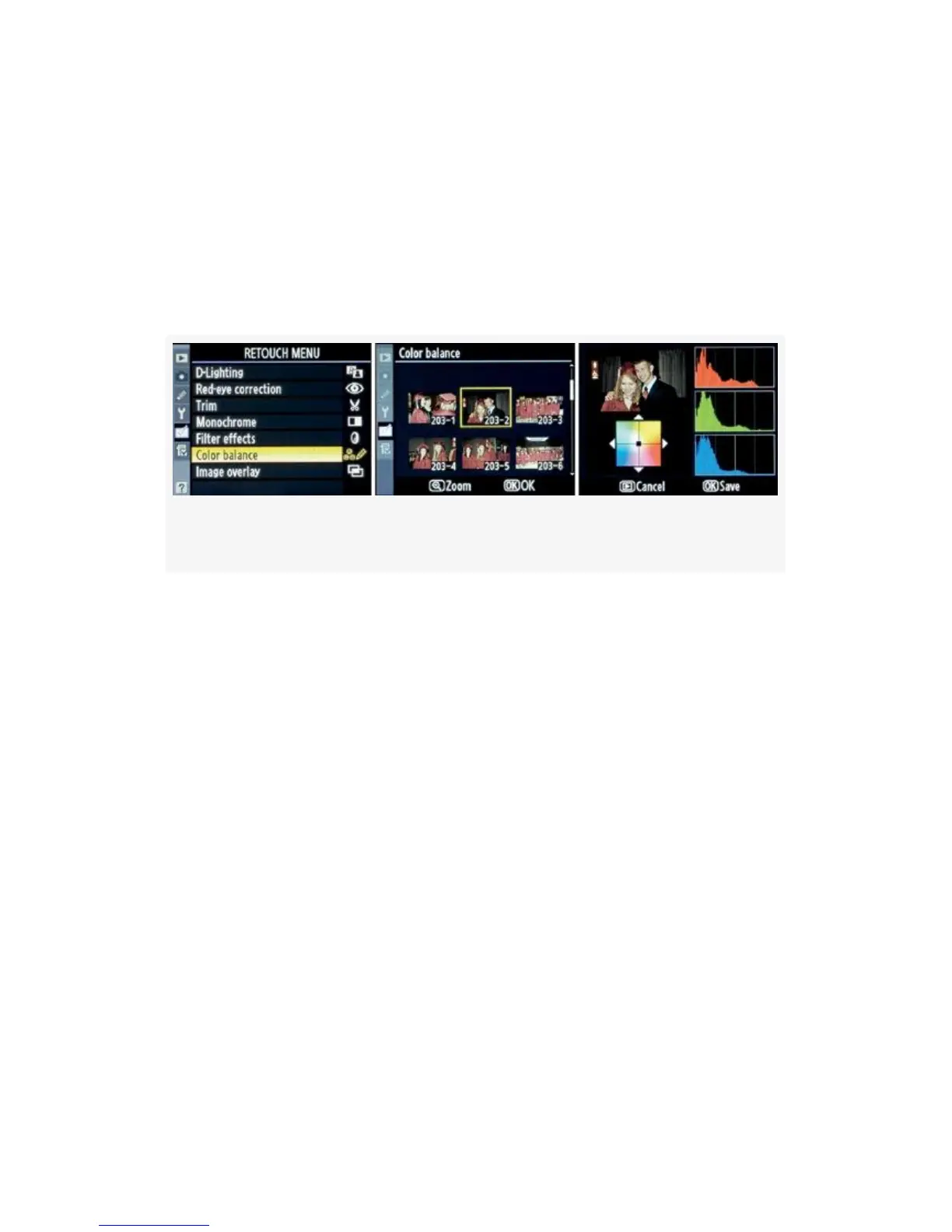
Here are the screens and steps to modify the Color balance in
your image (see Figure 6-8):
Figure 6-8. Color balance screens
1. Select Color balance from the Retouch Menu and scroll
to the right (see Figure 6-8, image 1).
2. Select the image you want to modify (see Figure 6-8,
image 2).
3. Use the Multi Selector to move the tiny black indicator
square in the center of the color box toward whatever
colors make you happy (see Figure 6-8, image 3). Watch
the histograms as they display the changing color
relationships between the red, green, and blue color
channels. You can see the color changes or casts as they
are applied to the small version of your image in the
upper-left corner of the final Color balance screen.
4. Press the Playback button to cancel or the OK button to
save the new image under a new file number.
543



 To Next Page