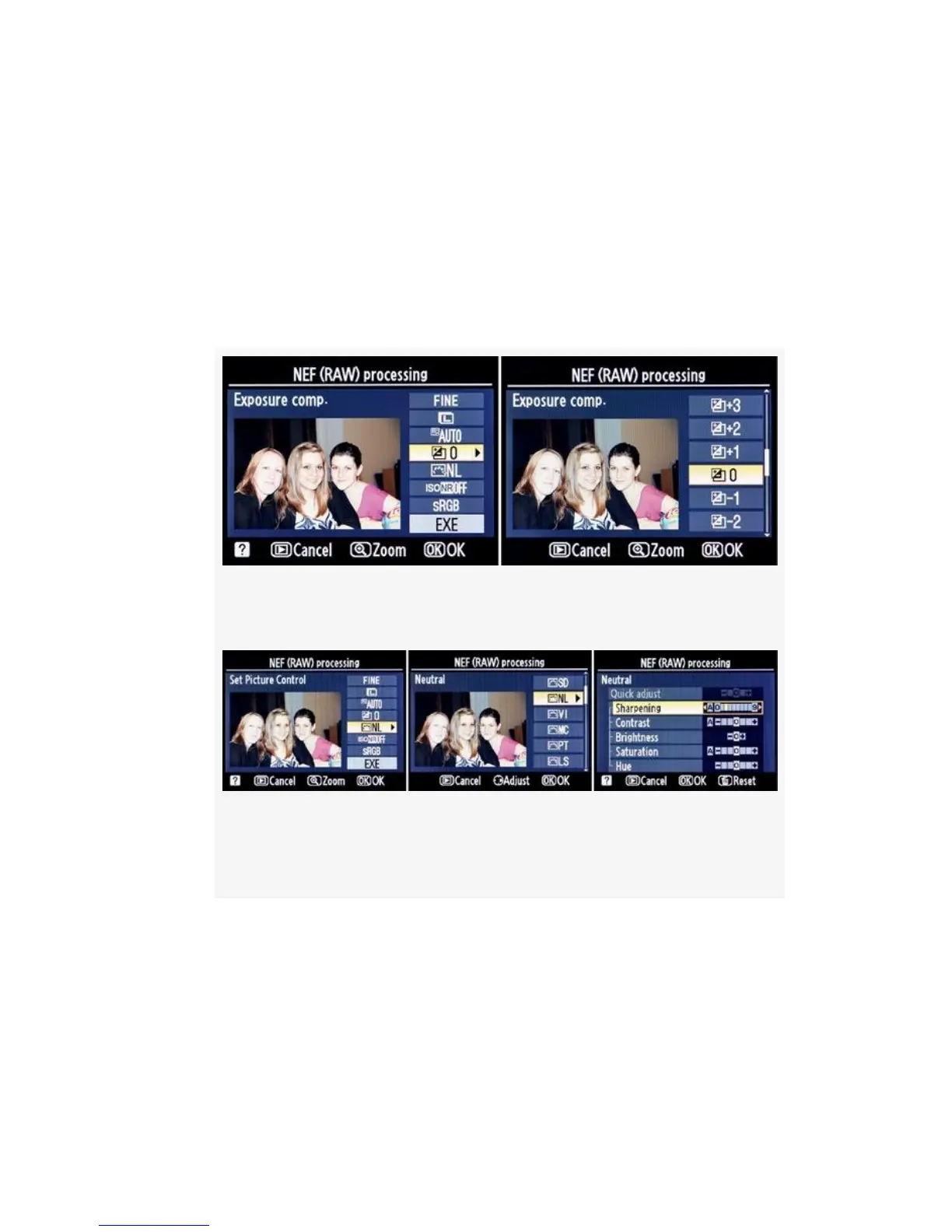
6. Now you have an opportunity to lighten or darken the
image by selecting an Exposure compensation value of
+/-3 EV steps in either direction (see Figure 6-17). When
the image looks just right, press the OK button to return
to the main NEF (RAW) processing configuration
screen. You can cancel the operation with the Playback
button.
Figure 6-17. Exposure compensation
Figure 6-18. White balance – Choosing and adjusting a
Picture Control
7. Next you can apply a Nikon Picture Control or one of
your own Custom Picture Controls, if you’ve created
any, from the list shown (see Figure 6-18). These
controls make changes to how the image looks. You can
make it sharper and give it more contrast, give it more or
less color saturation, or even change it to monochrome.
554



 To Next Page