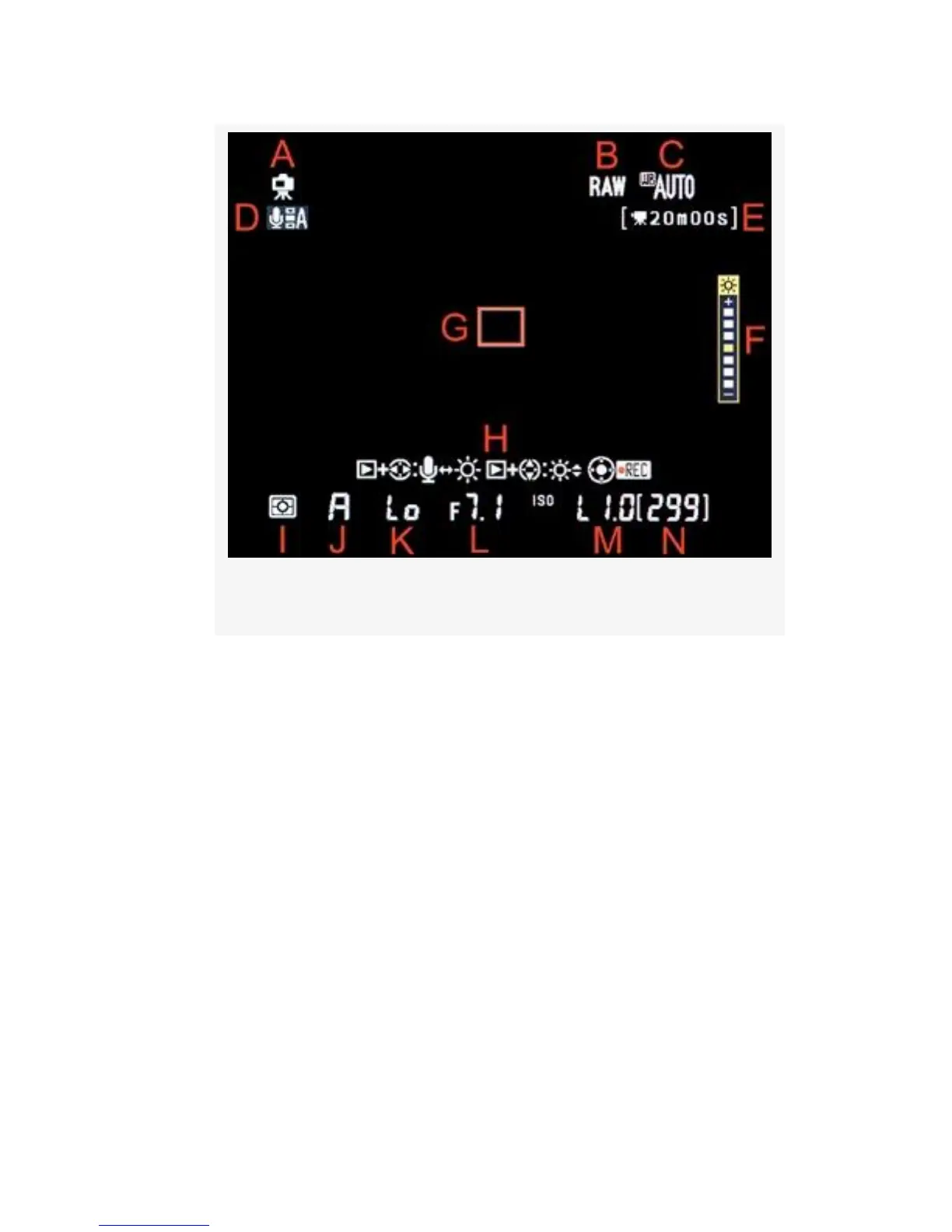
Figure 8-6. Live View – Understanding the symbols
▪ B – This symbol shows the current Image quality
setting—RAW, TIFF, FINE, NORM, or BASIC, plus the
three RAW + JPEG fine, normal, or basic modes
(RAW+F, RAW+N, RAW+B). You can change between
these Image quality settings by holding down the QUAL
button on top of the camera and rotating the rear Main
command dial.
▪ C – By holding down the WB button and turning the
rear Main command dial you can scroll through the nine
White balance settings. Various White balance symbols
will be displayed, representing each of the WB settings.
You can see the effect of each setting as you turn the
Main command dial. The Monitor will change its
colorcast as the camera moves through the WB settings.
597



 To Next Page