Copy Images (D300S Only)
(User’s Manual: D300S page 248)
The D300S provides a means to Copy image(s) between the
camera’s SD and CF card slots. This doesn’t apply to the
D300 since it only has one card. If you’ve been shooting and
suddenly want a backup on the other card, want to hand off
images on one of your cards to someone else, or only have a
card reader for one of the card formats, you can use this
function to copy images between the two card types.
This convenient functionality has several steps to accomplish
the deed. First, you’ll select a source card—if both cards have
images—and the source folder, then the images to move, and
then the folder that you want to place them in on the other
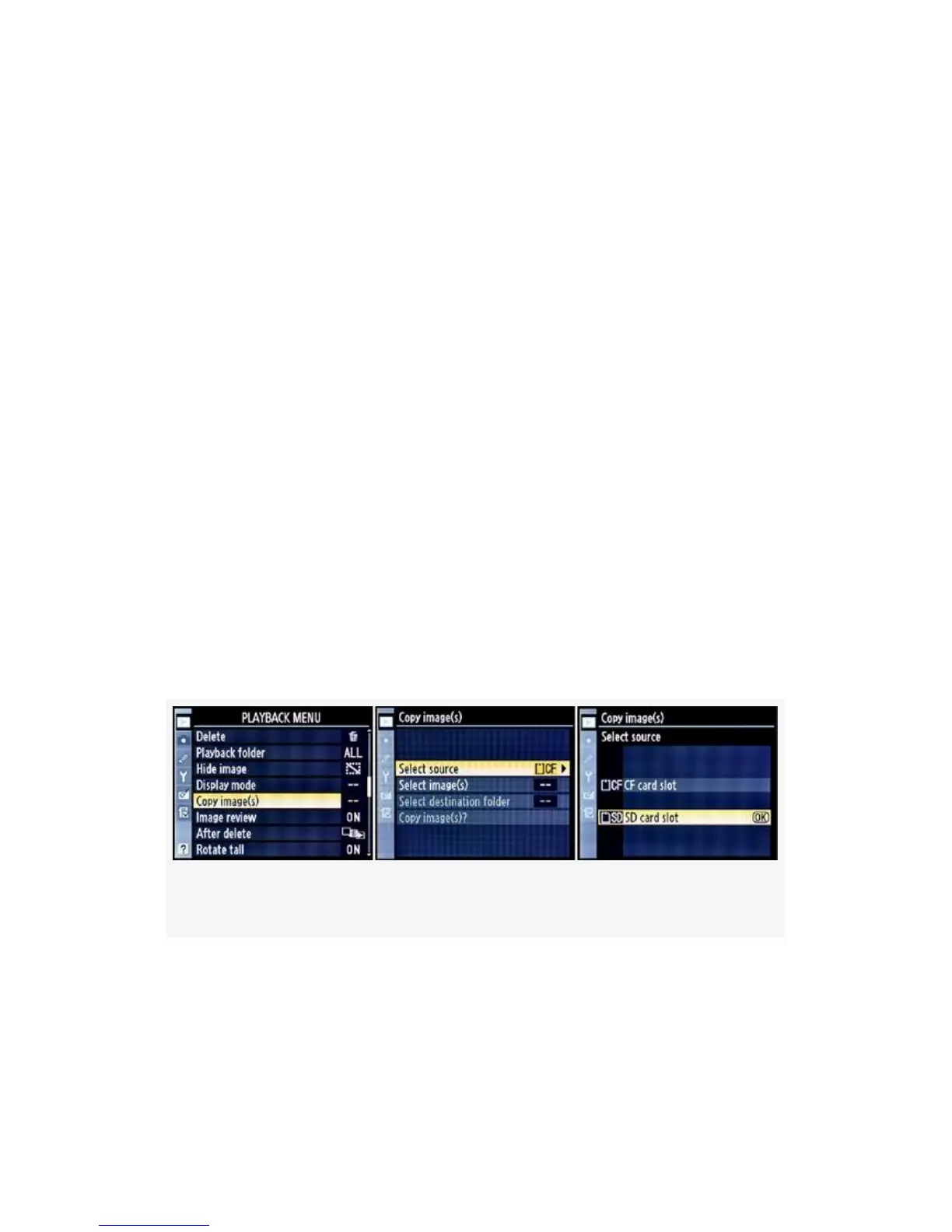
card. Figure 2-15 shows the screens for the Copy images
function:
Figure 2-15. Copy images – Selecting a source card
When I first opened up the menu shown in Figure 2-15, I
found only one item available—the Select image(s) choice.
The rest were grayed out. I was quite puzzled at first, and then
figured out why. There are two reasons Select image(s) may
be the only option available:
60



 To Next Page