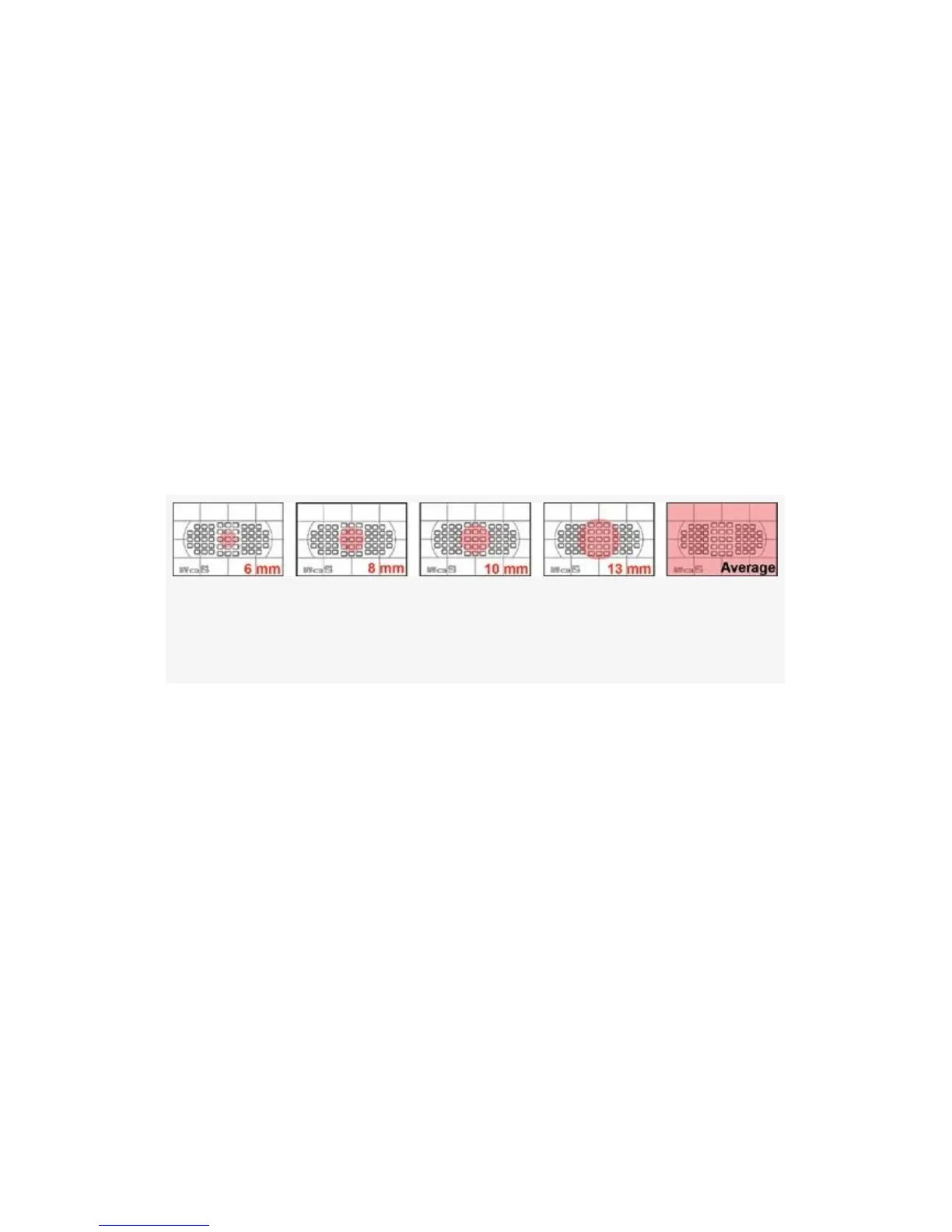
adjust this size to one of the five size settings shown on the
next page.
The Center-weighted meter is a pretty simple concept. The
part of your subject that’s in the center of your camera’s
Viewfinder influences the meter more than the parts that
appear close to the edges of the frame.
Where’s the Circle?
You can’t see any indication of a circle in the Viewfinder, so
you’ll have to imagine one.
Figure 9-4. Series of imaginary red circles in the Viewfinder
and averaging full frame (see list below)
▪ 6mm (.24 inch)
▪ 8mm (.32 inch)
▪ 10mm (.39 inch)
▪ 13mm (.51 inch)
▪ Avg – Entire Frame
Here’s how (see Figure 9-4 and the list of sizes below it):
Locate your current AF point in the middle of your
Viewfinder. The length of the little rectangle you see is about
2.5 mm (.10 inch) in size. If you imagine about three of these
little rectangles side by side, that’s about the same size as the
default 8mm circle, which at .32 inches is about 1/3 of an
642



 To Next Page