Autofocus in Live View Mode
Normally, you would not use the Monitor to compose an
image since this is not as stable as holding the camera close to
your body and could result in shaky images.
However, in some instances a live view through the Monitor
is quite useful. For instance, what if you want to take an
image of a small flower growing very close to the ground?
You could lie down on the ground and get your clothes dirty
or you can use LV mode instead. LV mode allows you to see
what your camera’s lens sees without using the Viewfinder.
Anytime you need to take pictures up high or down low, or
even on a tripod, the D300(S) will happily give you that
power with its LV mode.
Entering Live View
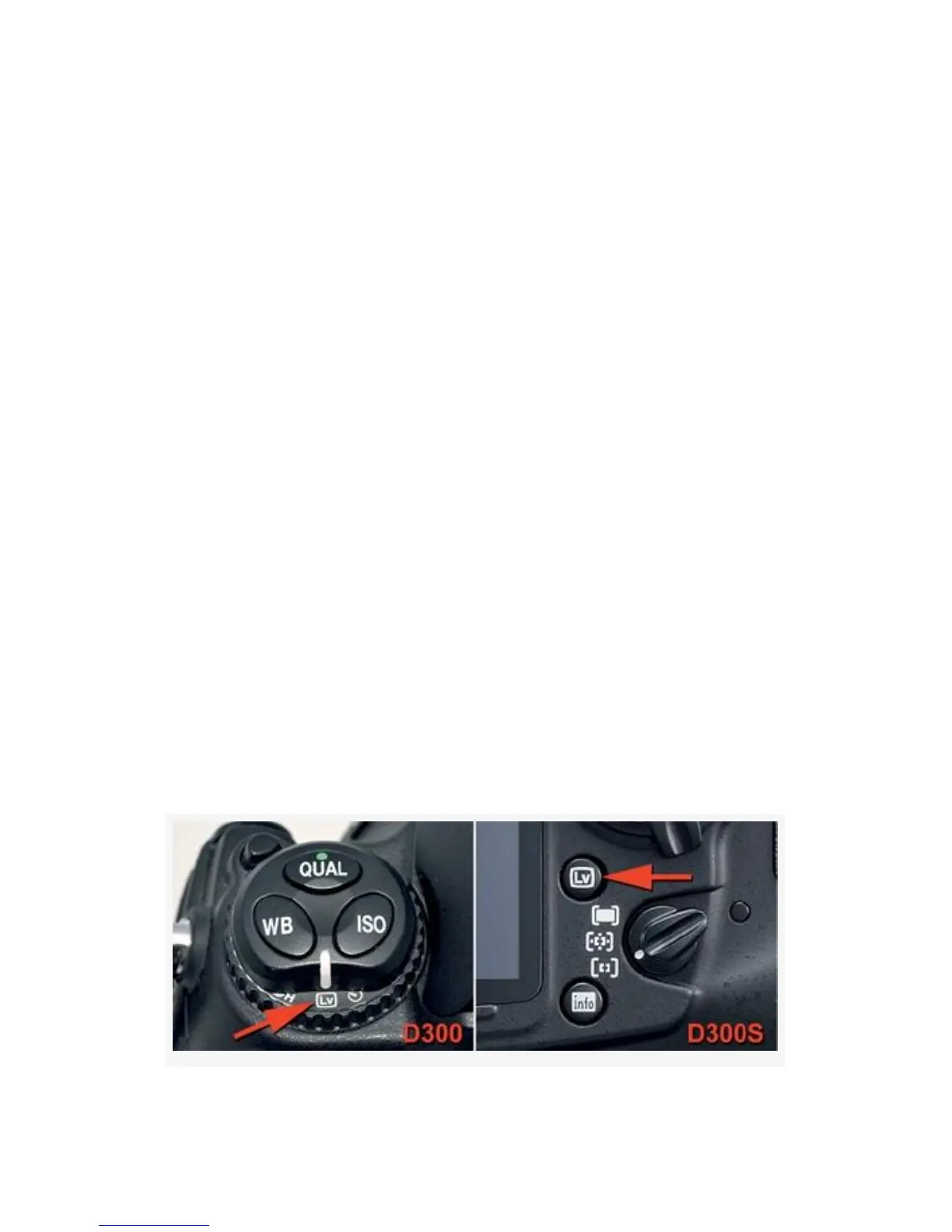
On the D300, Live view mode is activated by selecting the
LV position on the Release mode dial and pressing the
Shutter-release button fully (see Figure 11-11, image 1).
737



 To Next Page