covered by one of the shutter curtains. If the flash fires while
one of the curtains covers part of the sensor, then that part of
the sensor would not get a proper exposure from the flash and
there would be an underexposed black band in your image.
So, the whole point of the Flash modes is to determine at
what point during shutter curtain movement the flash fires
and whether it’s the main source of light or some ambient
light is mixed in. Keep this information in mind as we discuss
the Flash modes.
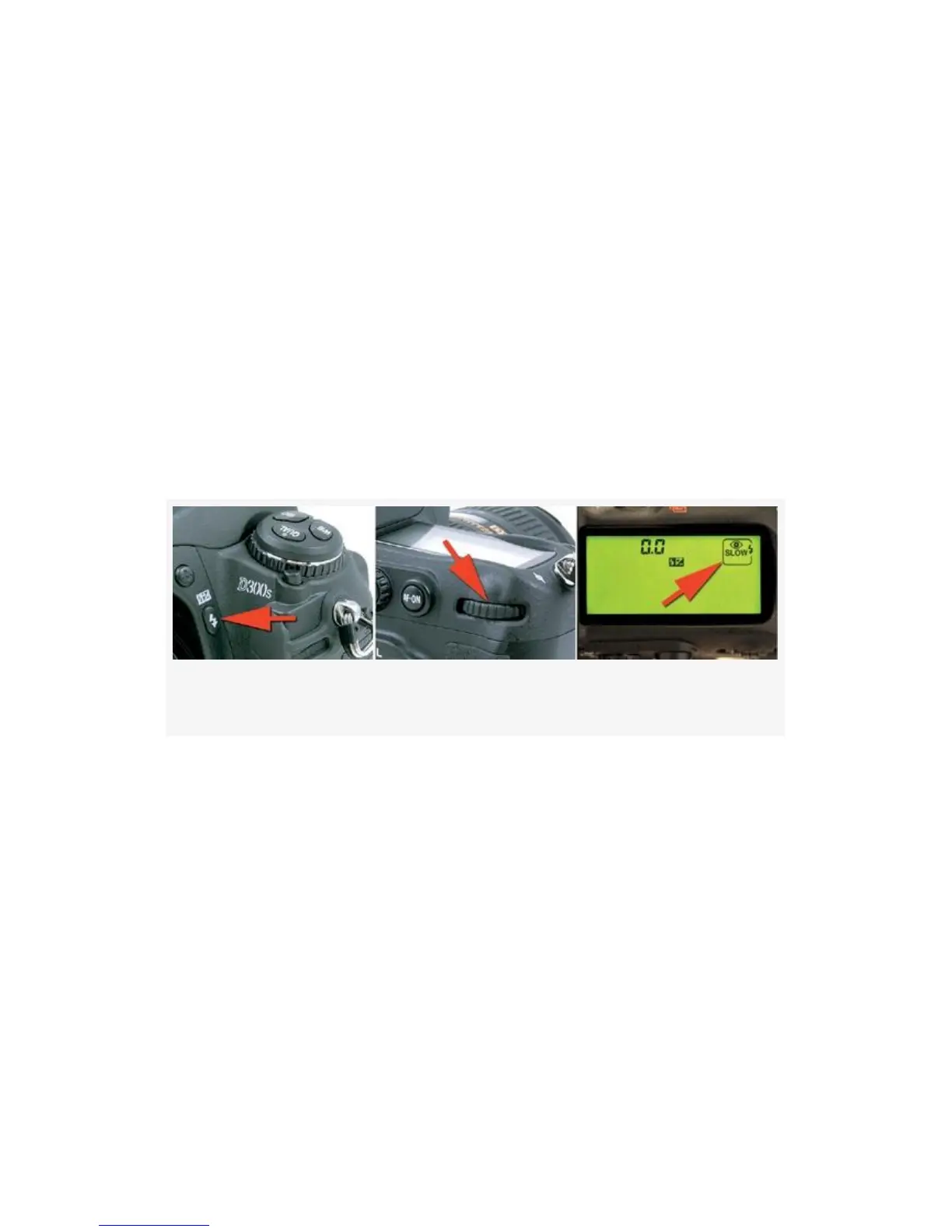
Here are the controls and steps used to select one of the five
Flash modes (see Figure 12-2):
Figure 12-2. Flash mode controls
1. Hold down the Flash mode button on the front of your
camera, just below the D300 or D300S logo (see
Figure 12-2, image 1).
2. Turn the rear Main command dial while watching the
various modes change on the Control panel (see
Figure 12-2, images 2 and 3).
3. Release the Flash mode button to lock-in the Flash
mode.
Following are the five modes and a description of how each
works.
753



 To Next Page