130
Z
Shutter-Speed and Aperture Lock
The F button can be used to lock shutter speed at the value
selected in shutter-priority auto or manual exposure mode, or to
lock aperture at the value selected in aperture-priority auto and
manual exposure modes.
Lock is not available in programmed
auto.
❚❚ Shutter-Speed Lock
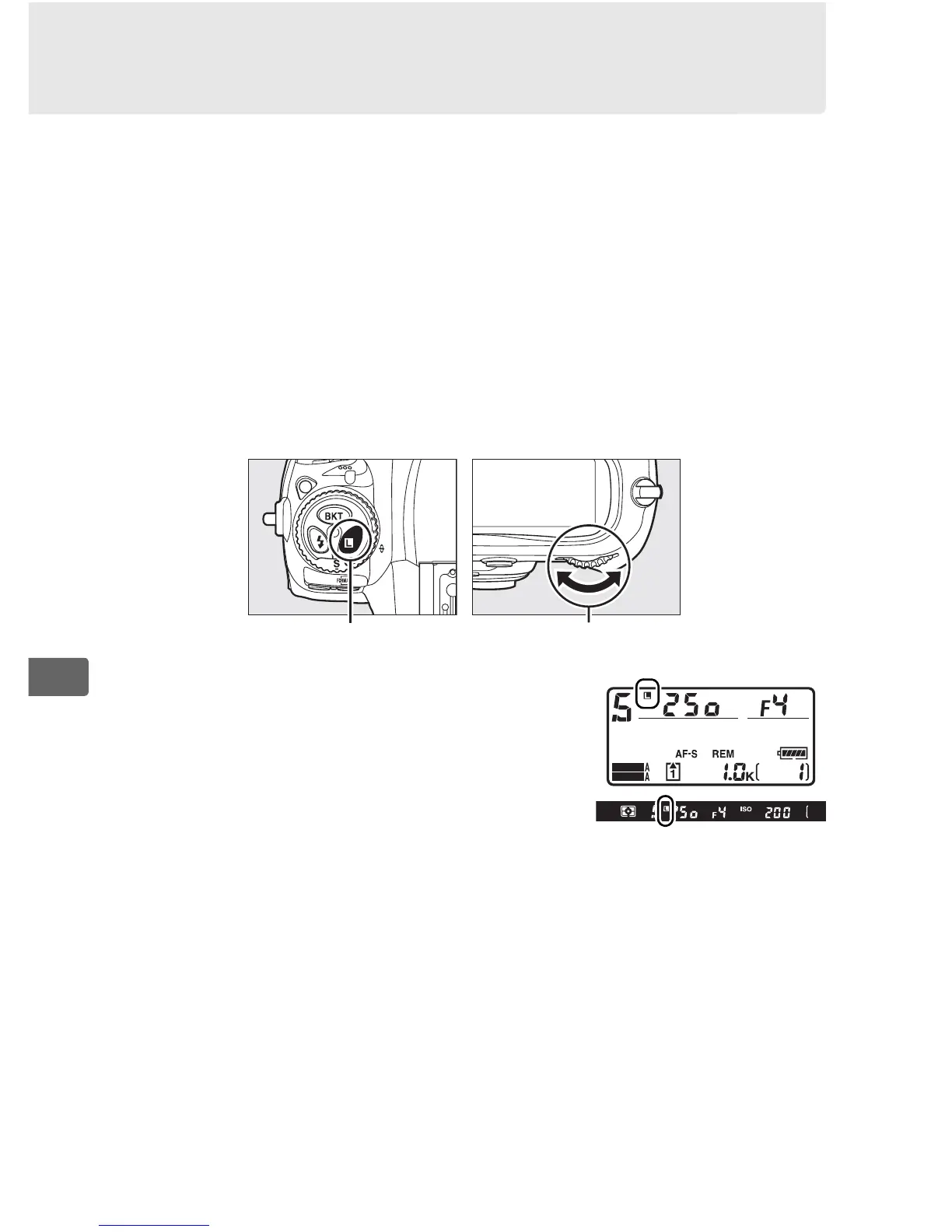
To lock shutter speed at the selected value, press the F button and
rotate the main command dial until F icons appear in the
viewfinder and the top control panel.
To unlock shutter speed, press the F button
and rotate the main command dial until the
F icons disappear from the displays.
F button Main command dial
SHOOT
CUSTOM



 To Next Page