235
I
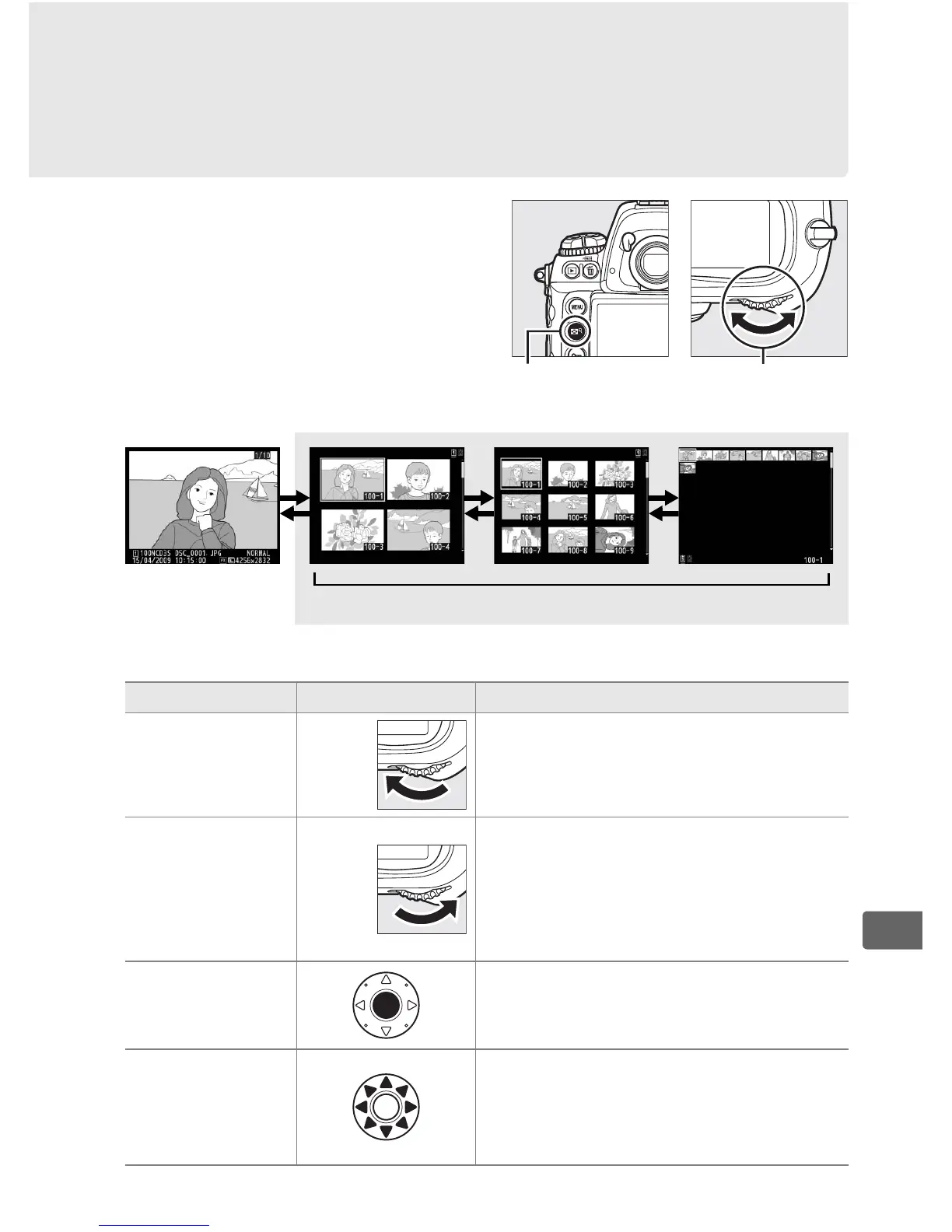
Viewing Multiple Images:
Thumbnail Playback
To display images in “contact
sheets” of four, nine, or 72
images, press the N button
and rotate the main command
dial.
The following operations can be performed:
Full-frame
playback
Thumbnail playback
To Use Description
Display more
images
N
+
Press N button and rotate main
command dial to left to increase
number of images displayed.
Display fewer
images
N
+
Press N button and rotate main
command dial to right to reduce
number of images displayed. If four
images are displayed, highlighted
image will be displayed full frame.
Toggle full
frame playback
Press center of multi selector to
switch back and forth between full
frame and thumbnail playback.
Highlight
images
Use multi selector to highlight
images for full-frame playback,
playback zoom (0 237), or deletion
(0 240).
N button Main command
dial



 To Next Page