36
s
Insert a Memory Card
The camera stores photographs on Type I CompactFlash memory
cards (available separately; 0 419). Type II cards and microdrives
can not be used. Up to two memory cards can be inserted in the
camera simultaneously. The following section describes how to
insert and format a memory card.
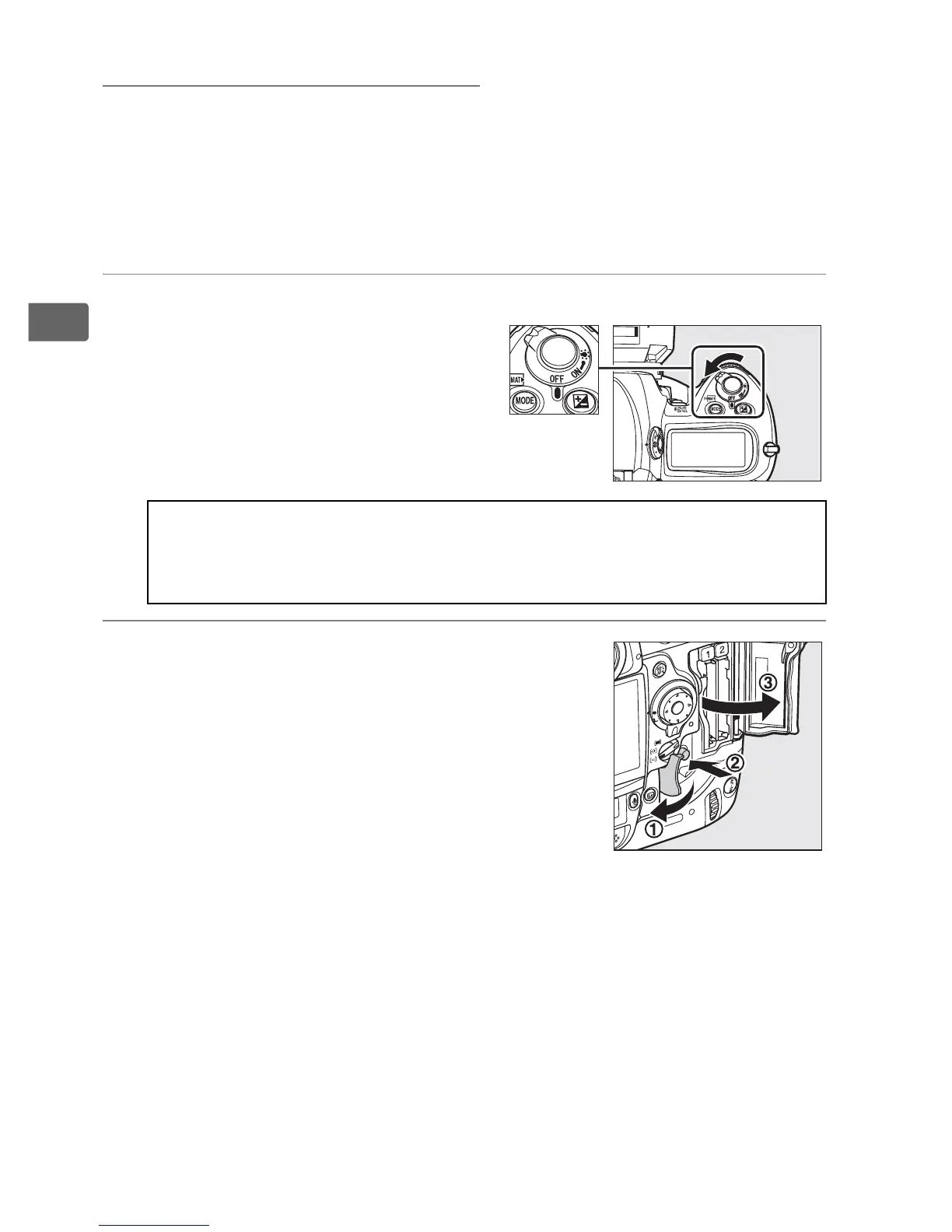
1 Turn the camera off.
2 Open the card slot cover.
Open the door protecting the card-slot
cover release button (q) and press the
release button (w) to open the card slot
(e).
D Inserting and Removing Memory Cards
Always turn the camera off before inserting or removing memory
cards.
Power switch



 To Next Page