37
s
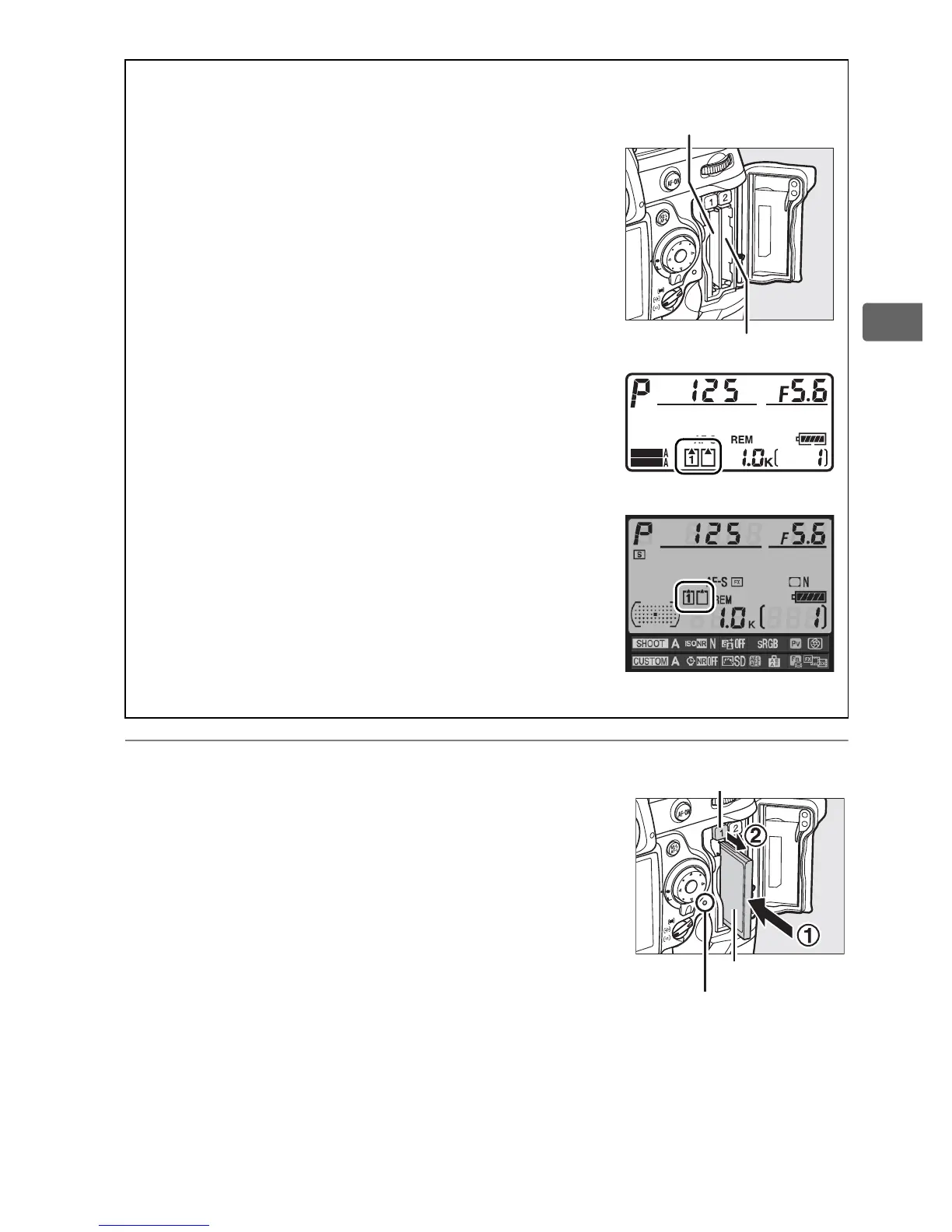
3 Insert the memory card.
Insert the first memory card in slot 1.
Slot 2 should be used only if a card is
already inserted in slot 1.
Insert the
memory card with the rear label toward
the monitor (q).
When the memory
card is fully inserted, the eject button will
pop up (w) and the green access lamp
will light briefly.
A Memory Card Slots
Slot 1 is for the main card; the card in slot 2 plays
a backup or secondary role. If the default setting
of Overflow is selected for Slot 2 (0 88) when
two memory cards are inserted, the card in
slot 2 will only be used when the card in slot 1 is
full.
The card currently in use is indicated in the top
control panel and information display (the
illustrations at right show the displays when
two cards are inserted).
Slot 2
Slot 1
SHOOT
CUSTOM
Top control panel
Information display
Eject button
Rear label
Access lamp



 To Next Page