269
Q
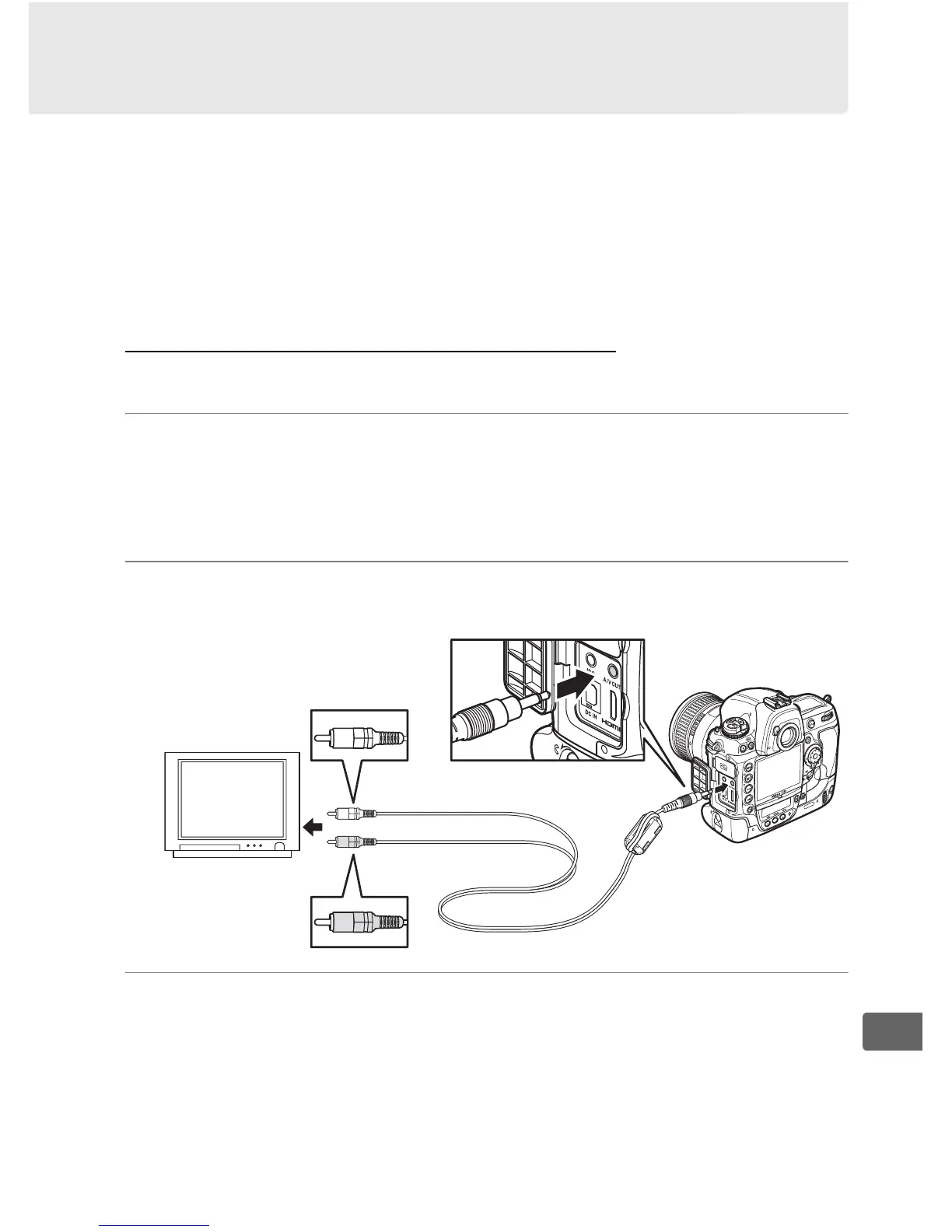
Viewing Photographs on TV
The supplied EG-D2 audio/video (A/V) cable can be used to
connect the D3S to a television or VCR for playback or recording.
A
type C mini-pin High-Definition Multimedia Interface (HDMI)
cable (available separately from commercial sources) can be used
to connect the camera to high-definition video devices.
Standard Definition Devices
To connect the camera to a standard television:
1 Turn the camera off.
Always turn the camera off before connecting or
disconnecting the A/V cable.
2 Connect the supplied A/V cable as shown.
3 Tune the television to the video channel.
Connect to
video device
Connect to
camera
Audio (white)
Video (yellow)



 To Next Page