73
y
Viewing Movies
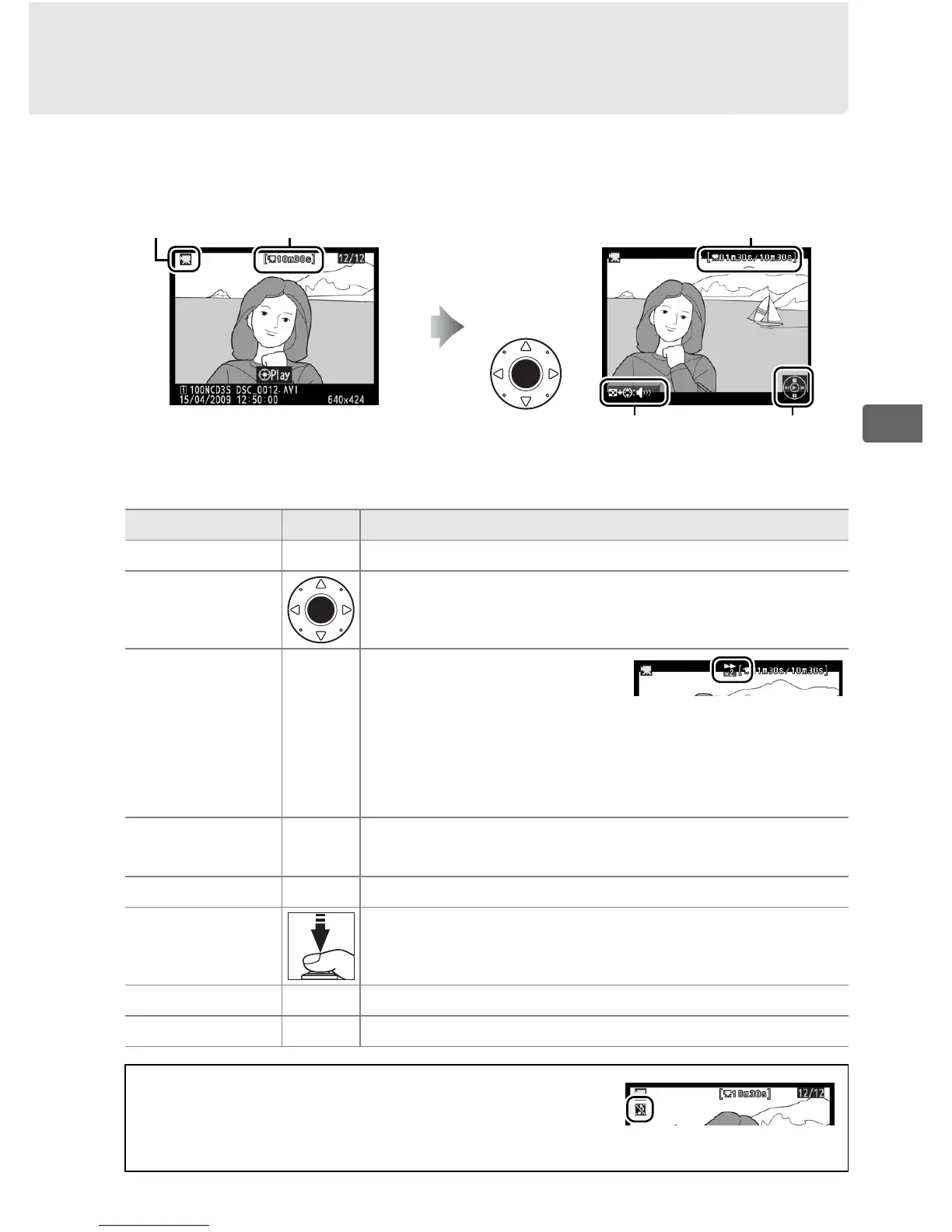
Movies are indicated by a 1 icon in full-frame playback (0 222).
Press the center of the multi selector to start playback.
The following operations can be performed:
1 icon Length Current position/total length
Volume
Guide
To Use Description
Pause 3/J Pause playback.
Play
Resume playback when movie is paused or
during rewind/advance.
Rewind/
advance
4/2
Speed doubles with each
press, from 2× to 4× to 8×
to 16×; keep pressed to skip to beginning or end
of movie.
If playback is paused, movie rewinds
or advances one frame at a time; keep pressed
for continuous rewind or advance.
Adjust volume
N+
1/3
Hold N and press 1 to increase volume, 3 to
decrease.
Trim movie J See page 74 for more information.
Resume
shooting
Monitor turns off.
Photographs can be taken
immediately.
Display menus G See page 273 for more information.
Exit 1/K Exit to full-frame playback.
A 2 icon
2 is displayed in full-frame and movie playback
if the movie was recorded without sound.



 To Next Page