379
n
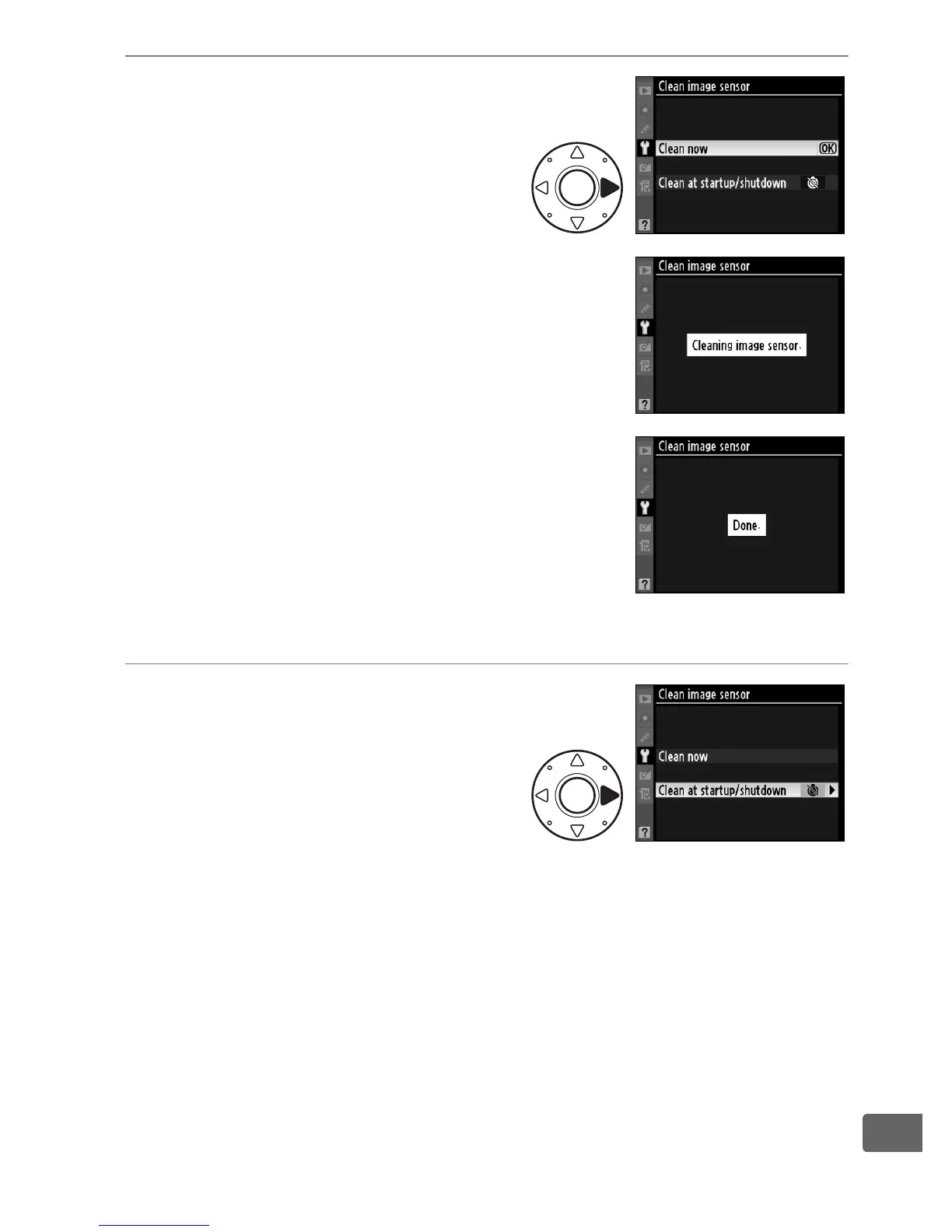
3 Select Clean now.
Highlight Clean now and press
2.
The message shown at right will be
displayed while cleaning is in progress.
The message shown at right will be
displayed when cleaning is complete.
❚❚ “Clean at Startup/Shutdown”
1 Select Clean at startup/
shutdown.
Display the Clean image
sensor menu as described in
Step 2 on the previous page.
Highlight Clean at startup/
shutdown and press 2.



 To Next Page