28
s
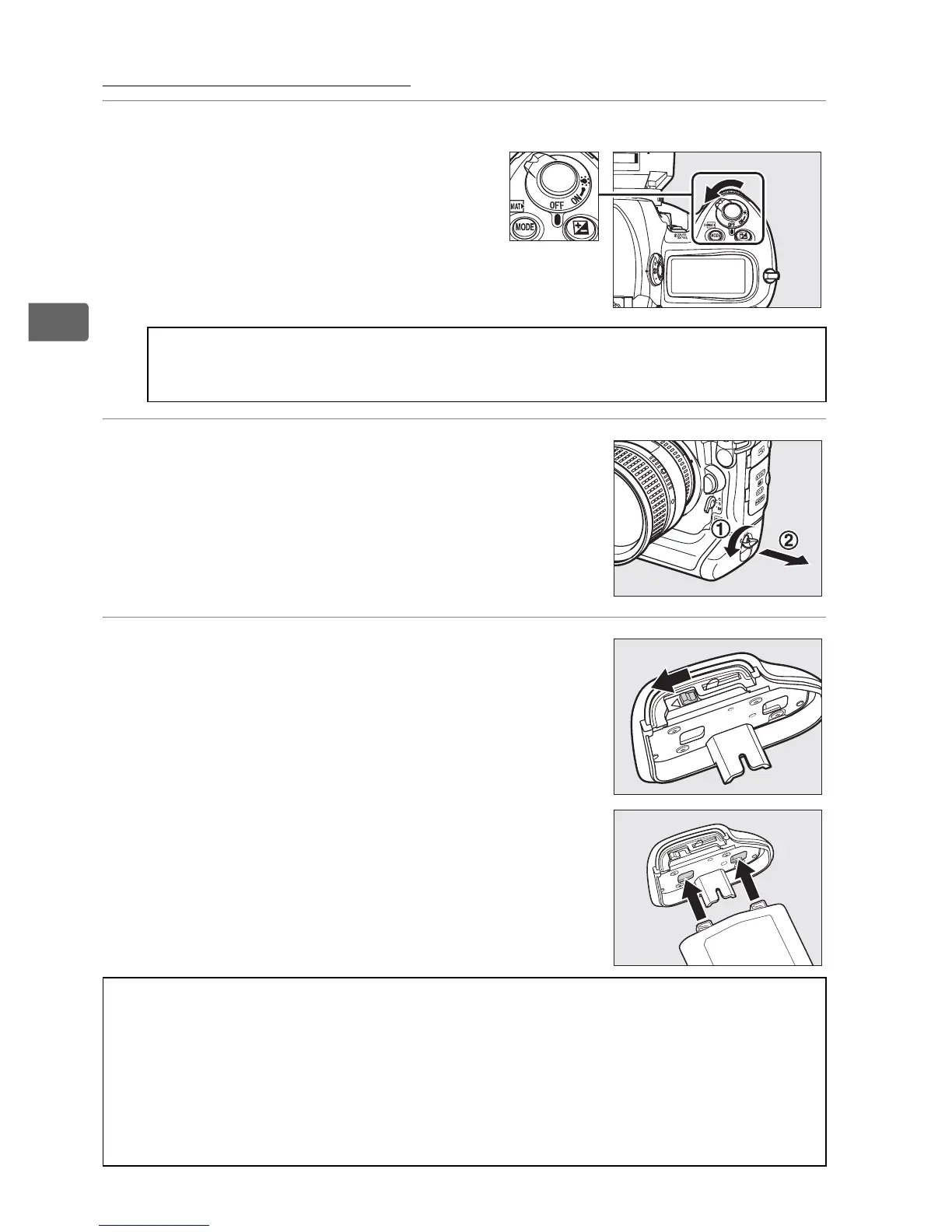
Insert the Battery
1 Turn the camera off.
2 Remove the battery-chamber cover.
Lift the battery-chamber cover latch, turn it
to the open (
A
) position (
q
) and remove
the BL-4 battery-chamber cover (
w
).
3 Attach the cover to the battery.
If the battery release is positioned so that
the arrow (4) is visible, slide the battery
release to cover the arrow.
Insert the two
projections on the battery into the
matching slots in the cover and slide the
battery release to reveal the arrow.
D Inserting and Removing Batteries
Always turn the camera off before inserting or removing batteries.
D The BL-4 Battery-Chamber Cover
The battery can be charged with the BL-4 attached. To prevent dust from
accumulating inside the battery chamber when the battery is not
inserted, slide the battery release in the direction indicated by the arrow
(4), remove the BL-4 from the battery, and replace it on the camera.
The BL-1 battery-chamber cover for D2-series cameras can not be used.
Power switch



 To Next Page