331
U
Choose a language for camera menus and messages.
The
following options are available.
Add a comment to new photographs as they are taken.
Comments can be viewed as metadata in ViewNX (supplied) or
Capture NX 2 (available separately; 0 375).
The comment is also
visible on the third shooting data page in the photo information
display (0 232).
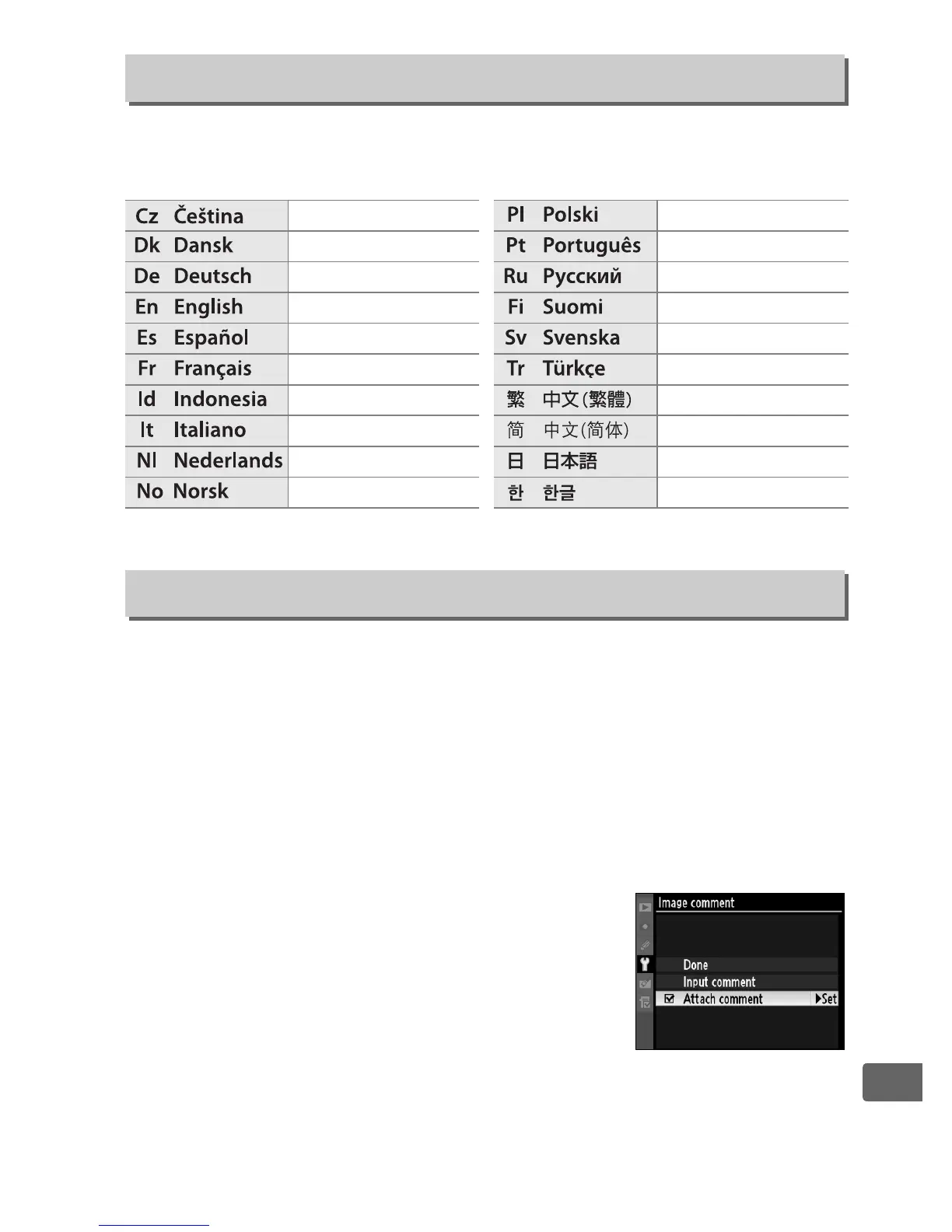
• Done: Save changes and return to the setup menu.
• Input comment: Input a comment as described on page 286.
Comments can be up to 36 characters long.
• Attach comment: Select this option to
attach the comment to all subsequent
photographs.
Attach comment can be
turned on and off by highlighting it and
pressing 2.
Language
G button ➜ B setup menu
Czech
Danish
German
English
Spanish
French
Indonesian
Italian
Dutch
Norwegian
Polish
Portuguese
Russian
Finnish
Swedish
Turkish
Traditional Chinese
Simplified Chinese
Japanese
Korean
Image Comment
G button ➜ B setup menu



 To Next Page