384
n
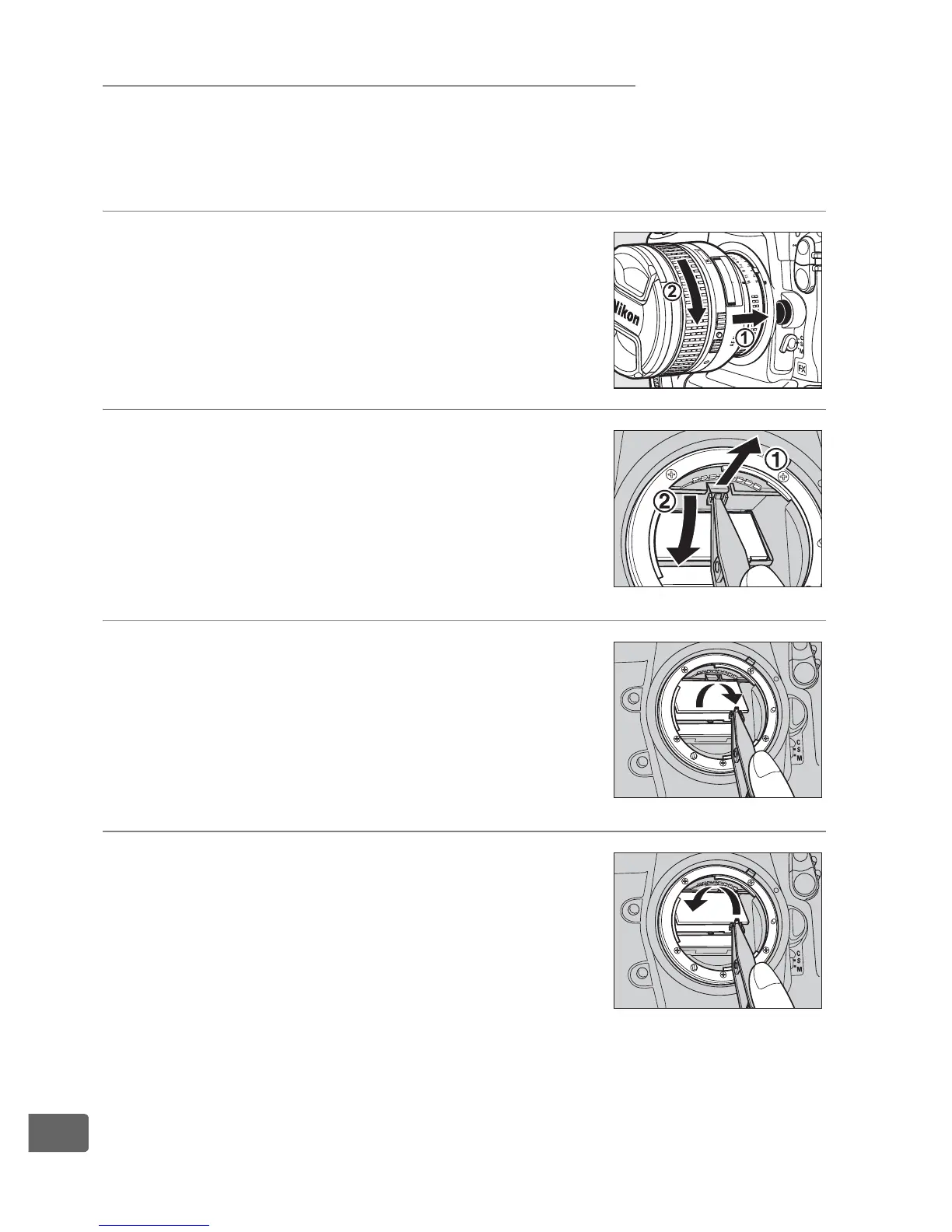
Replacing the Focusing Screen
A type B clear-matte VI focusing screen is inserted in the camera at
shipment.
To insert an optional type E clear-matte VI focusing
screen for D3S cameras (0 373):
1 Remove the lens.
Turn the camera off and remove the lens.
2 Unlatch the screen holder.
Using the tweezers supplied with the
focusing screen, pull the focusing screen
latch towards you.
The screen holder will
spring open.
3 Remove the existing screen.
Remove the existing screen, using the
supplied tweezers and being careful to
handle the screen by the tab to avoid
scratches.
4 Insert the replacement screen.
Using the tweezers and handling the
screen by the tab, set the replacement
screen in the holder.



 To Next Page