351
U
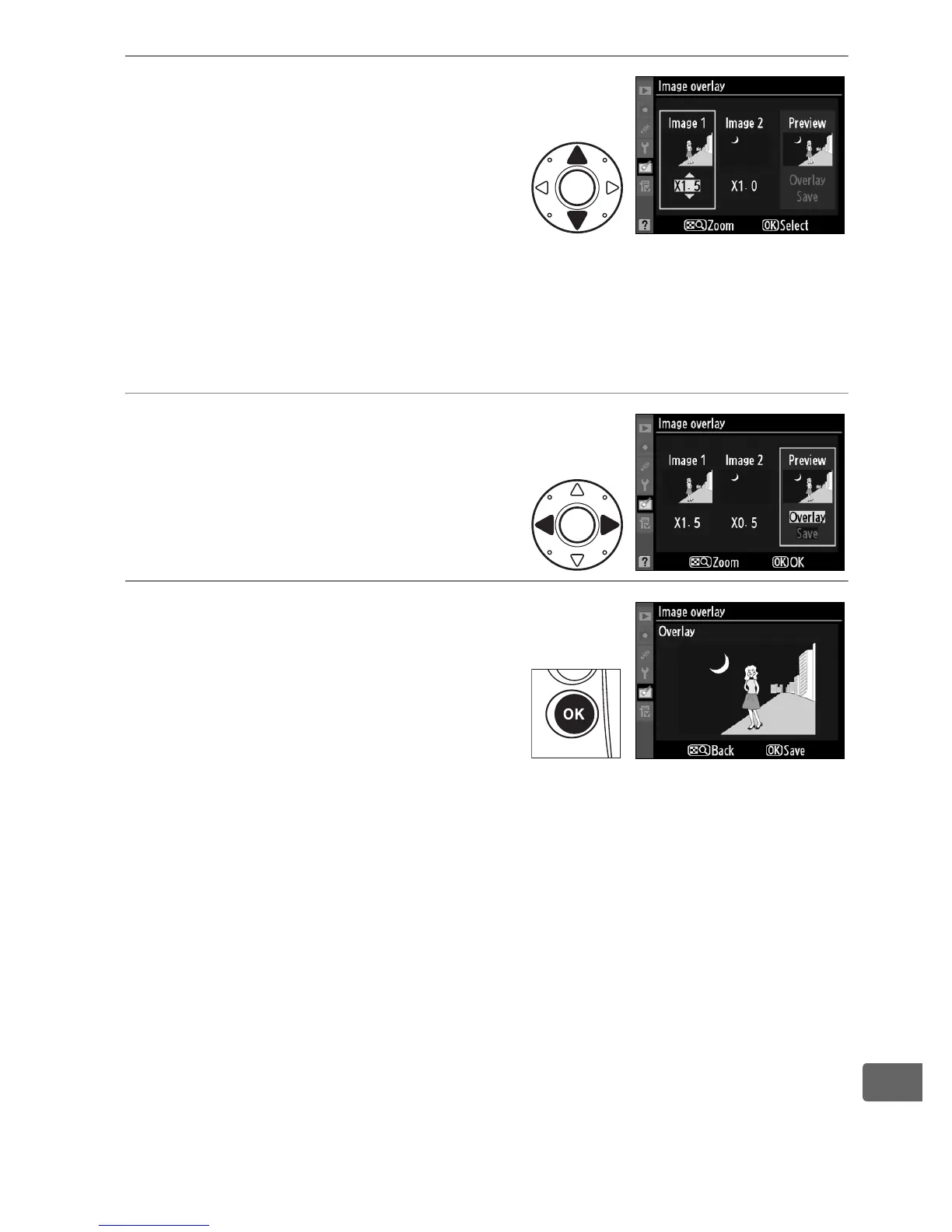
5 Set gain.
Highlight Image 1 or Image 2
and optimize exposure for the
overlay by pressing 1 or 3 to
select the gain for image 1
from values between 0.1 and
2.0.
Repeat for the second image. The default value is 1.0;
selecting 0.5 cuts gain in half, while selecting 2.0 doubles gain.
The effects of gain are visible in the Preview column.
6 Highlight the Preview
column.
Press 4 or 2 to highlight the
Preview column.
7 Preview the overlay.
Press 1 or 3 to highlight
Overlay and press J (to save
the overlay without displaying
a preview, highlight Save and
press J).
To return to Step 5
and select new photos or adjust gain, press N.



 To Next Page