59
x
Hand-Held Mode (g)
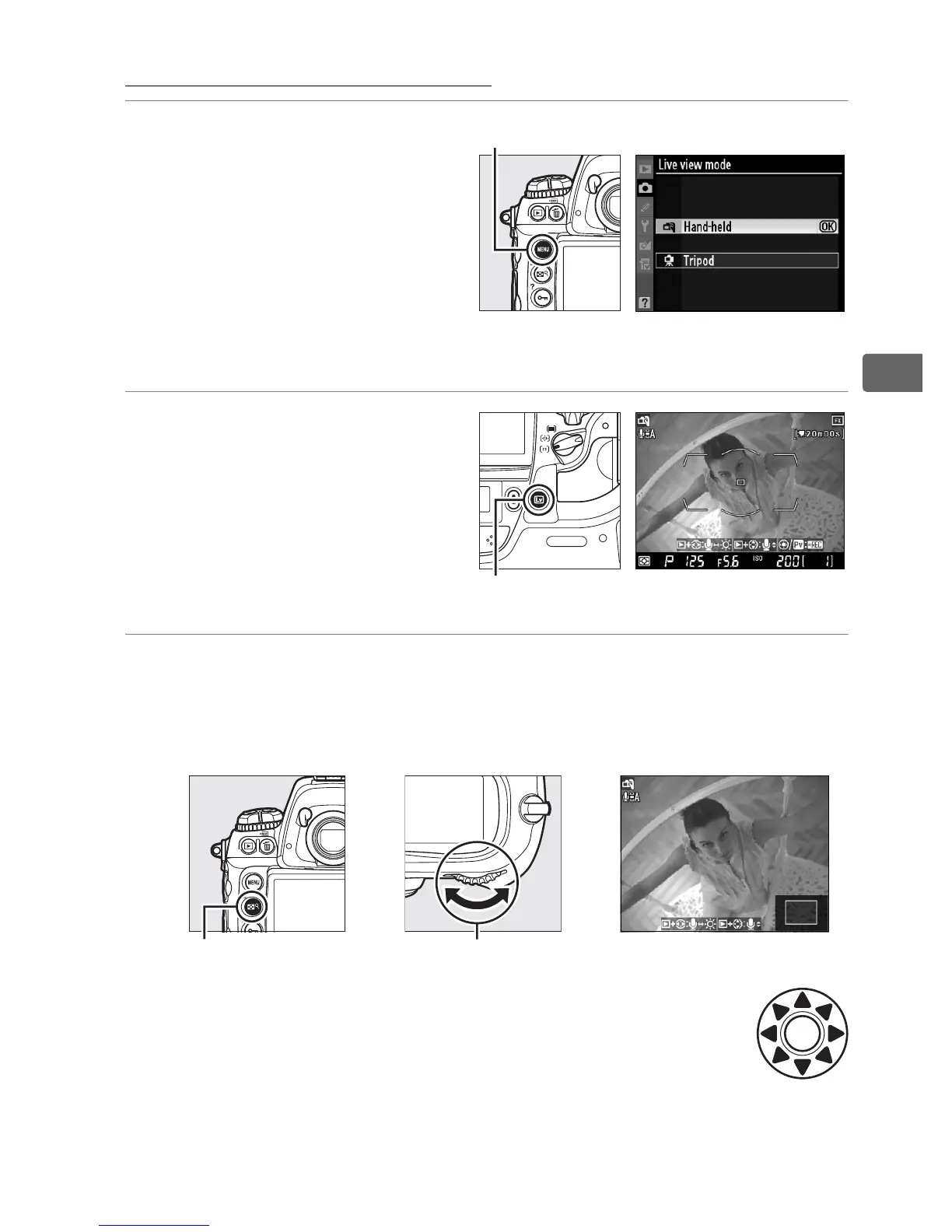
1 Choose Hand-held for
Live view mode in the
shooting menu.
Press the G button and
select the shooting menu.
Select Live view mode,
highlight Hand-held, and press J.
2 Press the a button.
The mirror will be raised
and the view through the
lens will be displayed in
the camera monitor
instead of the viewfinder.
3 Frame a picture in the monitor.
To magnify the view in the monitor up to 13 ×, press the N
button and rotate the main command dial.
While the view through the lens is zoomed in, a
navigation window will appear in the bottom right
corner of the display. Use the multi selector to scroll
within the AF area brackets.
+
N button Main command dial
G button
a button



 To Next Page