67
y
3 Focus.
Focus before starting recording.
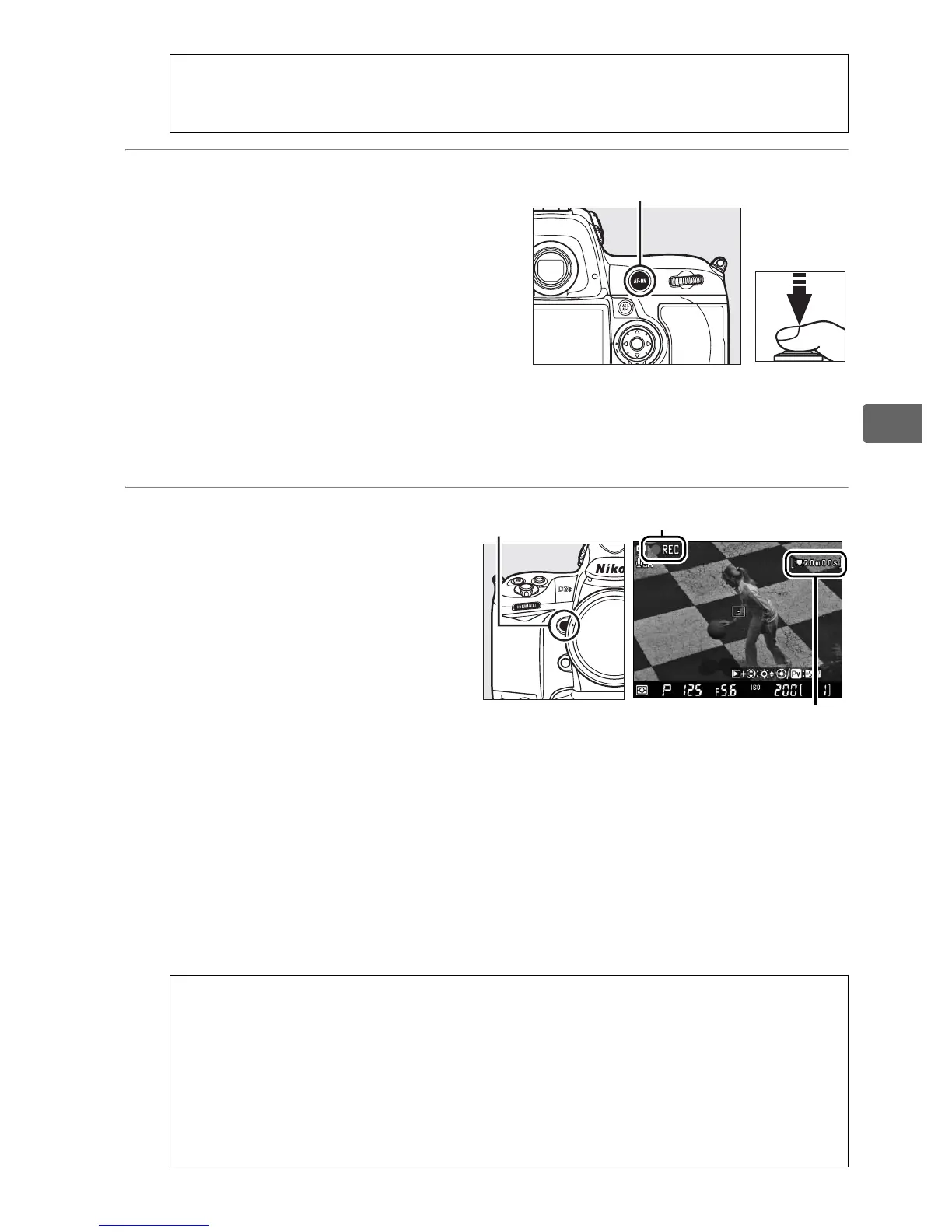
Frame the opening shot and
either press the B button
(Tripod) or press the shutter-
release button halfway (Hand-
held) to focus on your subject.
In hand-held mode, autofocus is not available after recording
begins.
4 Start recording.
Press the Pv button or the
center of the multi selector
to start recording.
Both
video and monaural sound
are recorded; do not cover
the microphone during
recording (the built-in
microphone is located on the front of the camera). The j
icon blinks and the time available is displayed in the monitor.
Exposure can be altered by up to ±3 EV using exposure
compensation; note, however, that changes to exposure,
including AE lock and exposure compensation, can only be
made during exposure preview.
D The 0 Icon
A 0 icon indicates that movies can not be recorded.
A Focusing During Recording
To focus in tripod mode using contrast-detect autofocus, press the
B
button. Autofocus is not available in hand-held mode after
recording begins; use manual focus to focus during recording (
0
99;
note that in hand-held mode, recording will end if the shutter-release
button is pressed halfway or the
B
button is pressed).
B button
Pv button j icon
Time remaining



 To Next Page