31
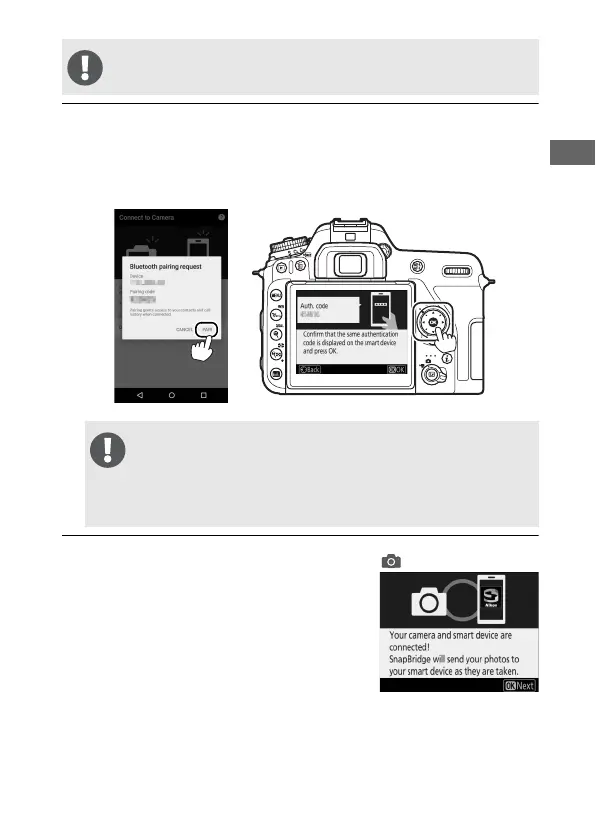
4 Camera/smart device: Press J on the camera and tap PAIR in
SnapBridge (the PAIR button may be labelled differently
depending on what version of the operating system you
are using).
5 Camera/smart device: Follow the on-
screen instructions.
• Camera: Press J to complete pairing
and proceed with camera setup.
• Smart device: Follow the on-screen
instructions to sign up for a Nikon ID.
The following step involves both the camera and the smart
device. Have them ready side-by-side before proceeding.
If you wait too long between pressing the button on the
camera and tapping the button in SnapBridge, pairing will
fail and an error will be displayed.
• Camera: Press J and return to Step 1.
• Smart device: Tap OK and return to Step 2.



 To Next Page