224 Menu Guide > C The Photo Shooting Menu
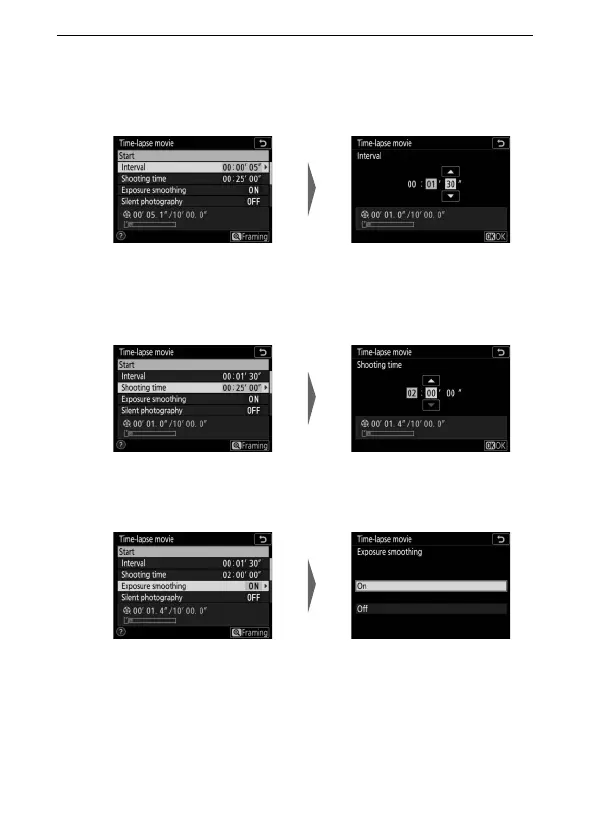
2 Adjust time-lapse movie settings.
Adjust the following settings:
• Interval: The interval (in minutes and seconds) should be
longer than the slowest anticipated shutter speed.
• Shooting time: The total shooting time (in hours and minutes)
can be up to 7 hours and 59 minutes.
• Exposure smoothing: Enable or disable exposure smoothing.
Highlight Interval and
press 2.
Choose an interval and press J.
Highlight Shooting time and
press 2.
Choose a shooting time and
press J.
Highlight Exposure smoothing
and press 2.
Highlight an option and
press J.



 To Next Page