225Menu Guide > C The Photo Shooting Menu
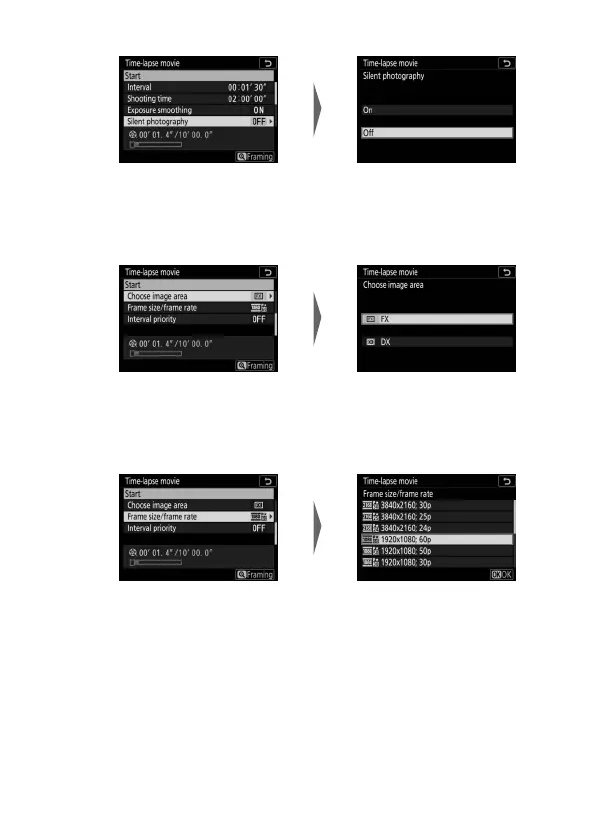
• Silent photography: Enable or disable silent photography.
• Choose image area: Choose an image area for time-lapse
recording.
• Frame size/frame rate: Choose the frame size and rate at which
the final movie will play back.
Highlight Silent photography
and press 2.
Highlight an option and
press J.
Highlight Choose image area
and press 2.
Highlight an option and
press J.
Highlight Frame size/
frame rate and press 2.
Highlight an option and
press J.



 To Next Page