16
2.6 Card Thickness Adjustment
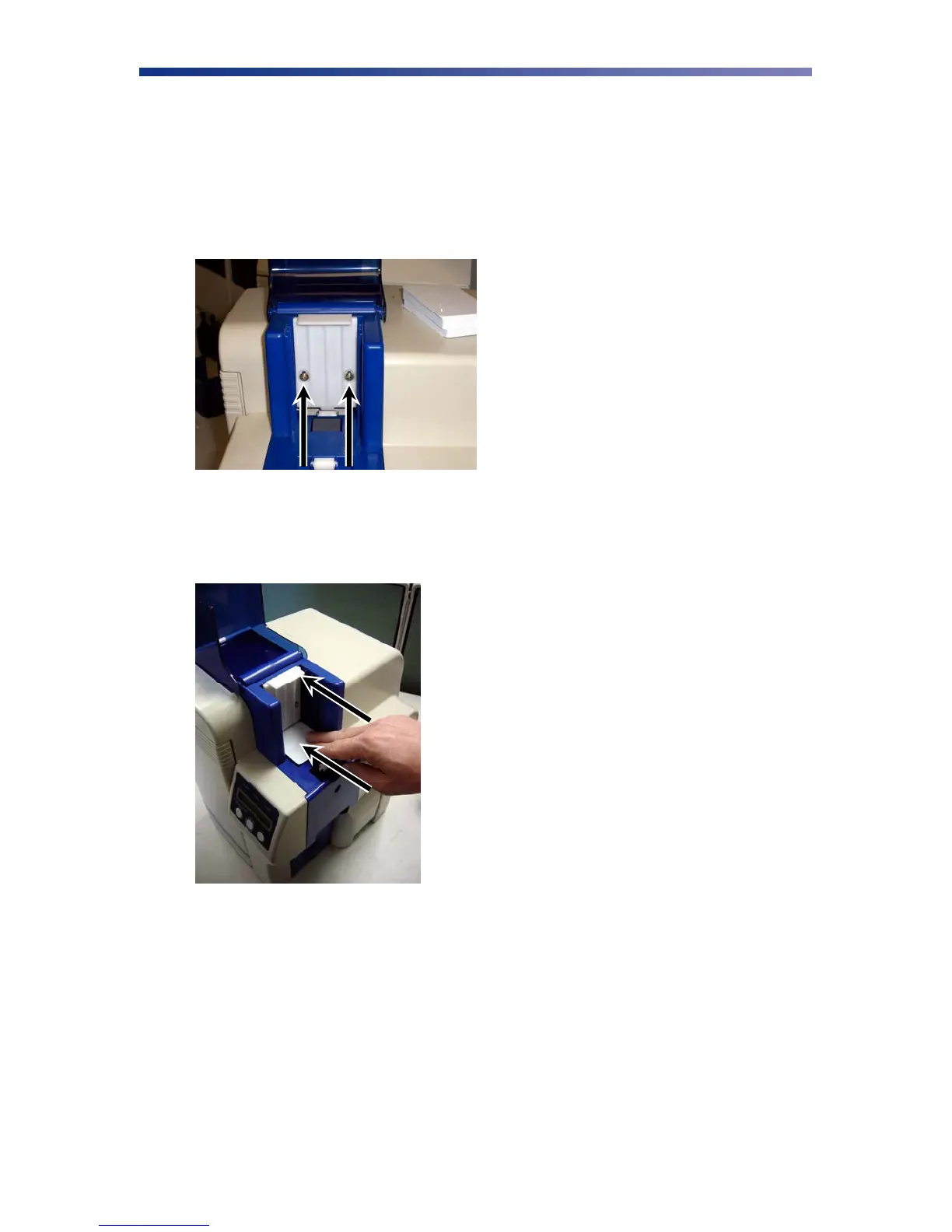
When loading cards that vary from the standard size, it is necessary to make a simple adjustment
to the printer. To adjust the card size, follow these steps:
1. Open the card feeder door and remove cards.
2. Loosen the two phillips head screws on the adjustable gate.
3. Insert a card into the card feeder just under the gate.
4. Lower the gate until it slightly touches the card.
5. Raise the gate one half the thickness of the card and tighten the screws.
6. Test the new adjustment by attempting to slide two cards under the gate. If two cards
slide under the gate, the gap width is incorrect and return to step 3. You should not be
able to slide two cards into the gap.
Figure 2-19: Adjustable gate
Figure 2-20: Lower gate



 To Next Page