24
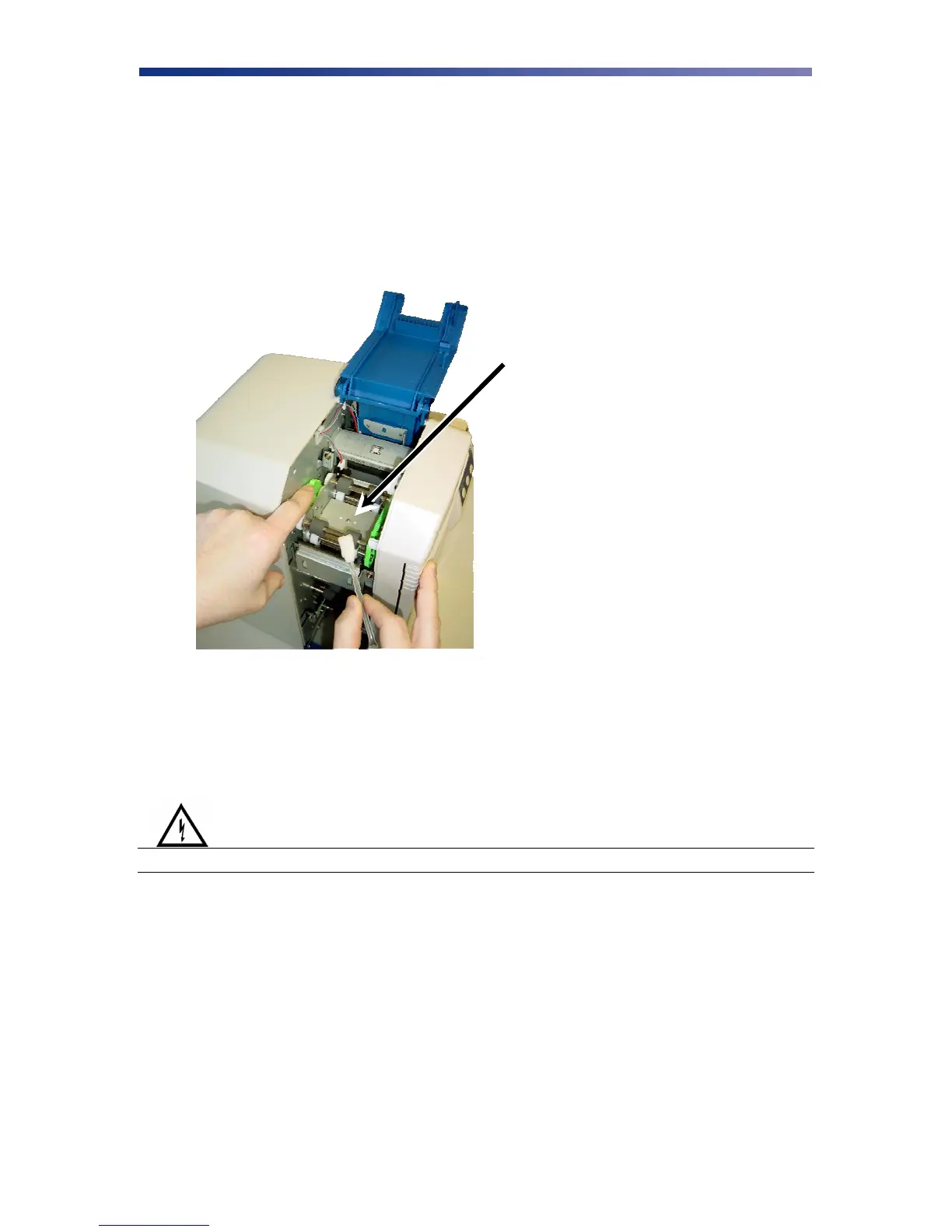
3.4 Cleaning the Flip/Turn Transport Rollers
1. Power off the printer and remove the power cord.
2. Remove the phillips screw on the left side of the printer to open the print unit door. Open
the top cover and manually rotate the flip/turn transport roller 180° by moving the unit
counter-clockwise.
3. Advance the green knob and use an alcohol swab to clean the rubber and white plastic
rollers.
4. After cleaning the flip/turn transport rollers, proceed to cleaning the print unit rollers in
the next section.
3.6 Cleaning the Print Unit Rollers
Warning
IMPORTANT! Power off the printer to prevent electrical shock.
Flip/Turn Transport Rollers
Figure 3-8: Advance flip/turn rollers



 To Next Page