25
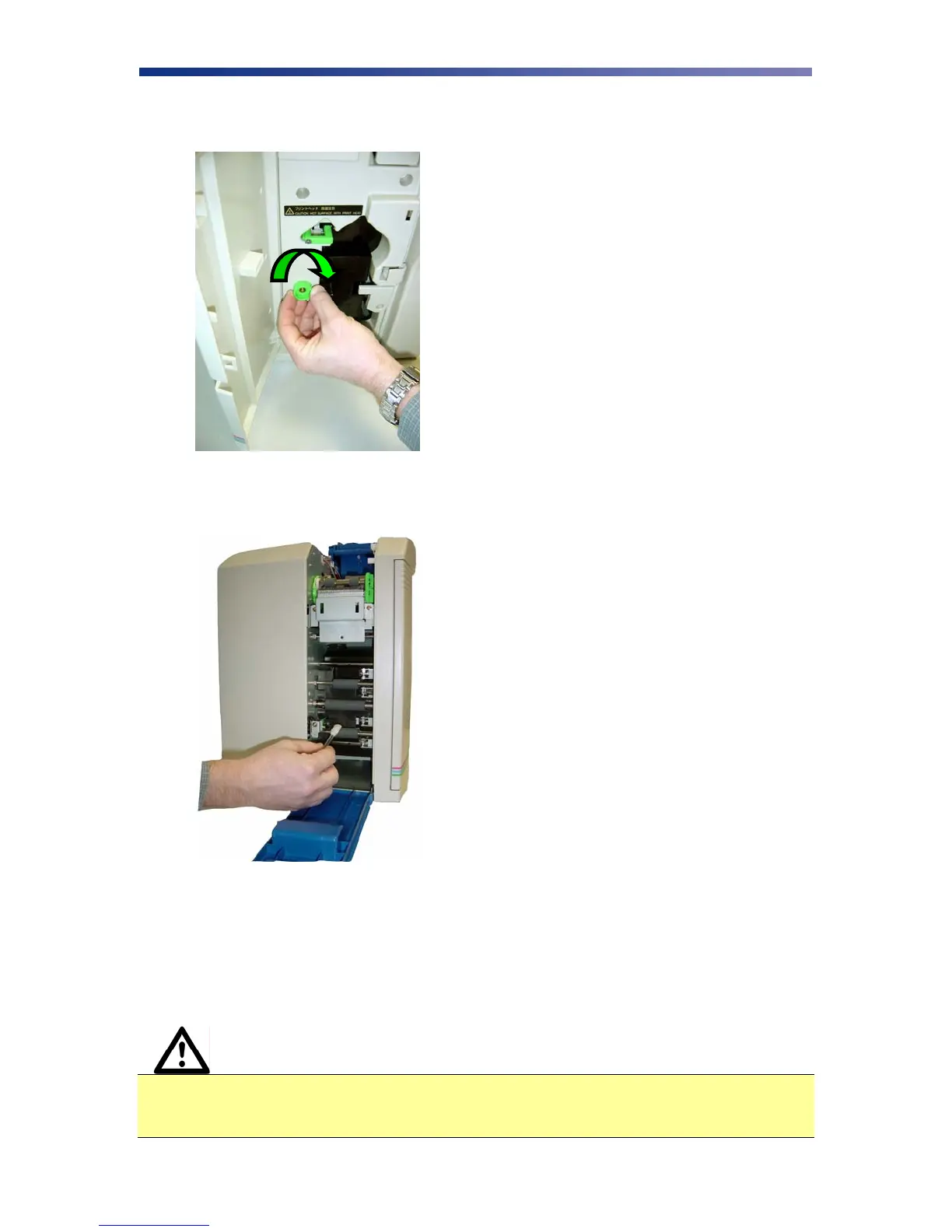
1. With the print unit door still open, turn the manual rotation knob clockwise to advance
the print rollers.
2. Clean each of the print unit rollers using a alcohol cotton swab.
3.7 Cleaning the Print Head
This procedure should be performed if you notice a streak on the card where color was not
transferred or every 2,000 prints to maintain a consistent print quality. To clean the print head,
you will need a print head cleaning pen available from your authorized reseller.
Caution IMPORTANT! The print head may be hot. Turn off the power and let the print
head cool before proceeding with this section. Never use a sharp tool or abrasive
object of any kind to clean the print head.
Figure 3-9: Turn rotation knob
Figure 3-10: Cleaning print rollers



 To Next Page