UDO LP400 User Guide
_____________________________________________________________________________________________________
LP400 User Guide (11/07)
34
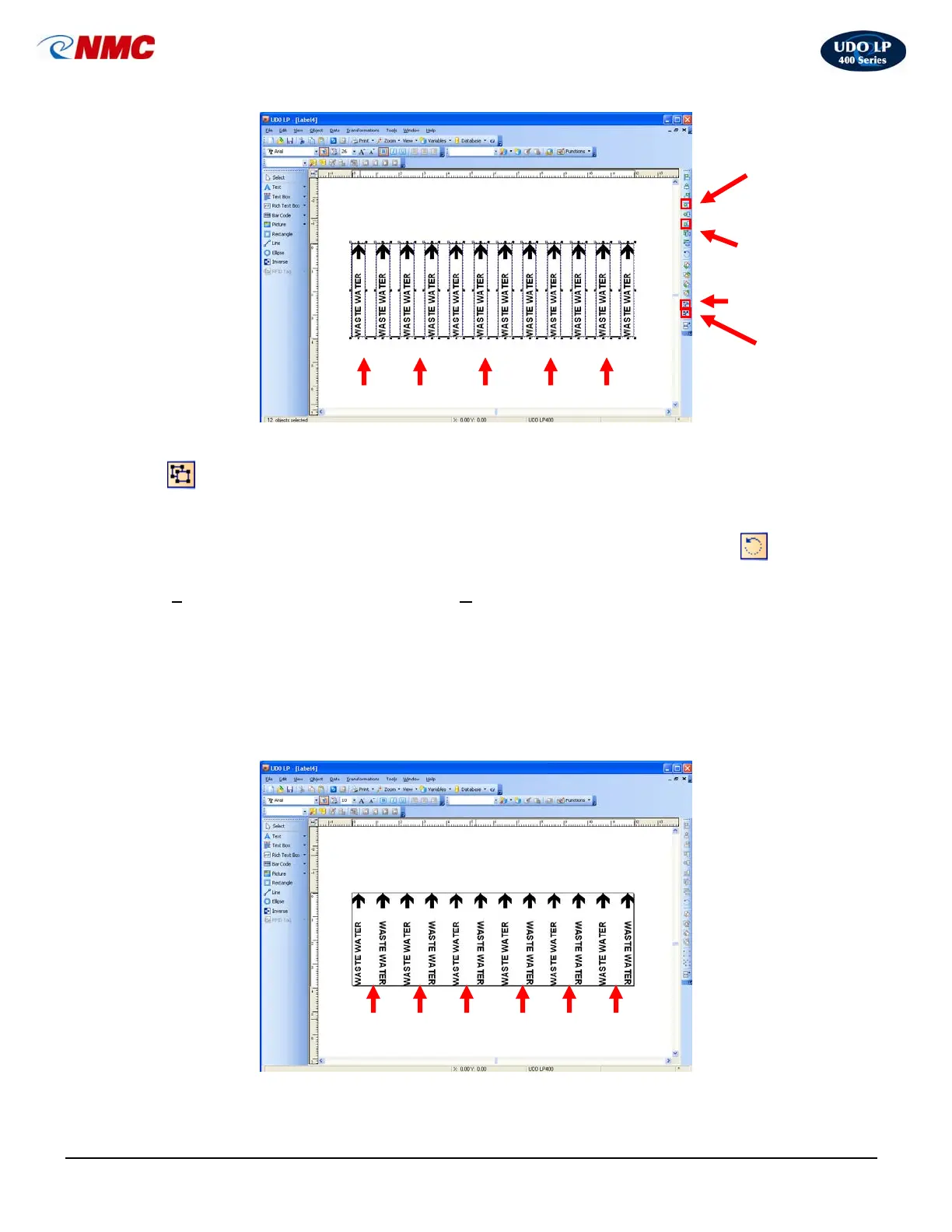
19. With all the objects selected, hold down the ‘Ctrl’ button and Click the ‘Ungroup’
icon from the Design/Alignment Tool Bar. Click on the outside of the label to
unselect all of the objects.
20. Click the second Text Box from the left side of the label. Click the ‘Rotate’
icon
from the Design/Alignment Tool Bar. You can also select this option from the
‘T
ransformations’ menu then select ‘Rotate’. The Text Box will rotate 90° counter
clockwise. Rotate the text box 180° (two clicks).
21. Repeat step 21 for every other Text Box as indicated in Figure 8. The label should
appear as in Figure 9.
22. The label is now ready to print. Save the file.
Group
Horizonal Space
Equally
Vertical
Center
Fig. 8
Ungroup
Rotate 180°
Fig. 9
Rotated Text



 To Next Page