Two-Port Fiber-Optic Gigabit Ethernet NIC
IP560 Security Platform Installation Guide 77
Multi-Mode Fiber-Optic Gigabit Ethernet NIC Features
The MMF fiber-optic Gigabit Ethernet NIC supports:
High bandwidth
Full-duplex mode operation up to 1 Gbps (no half-duplex support)
Link speed auto advertising
Tracing through tcpdump
Compliance with IEEE 802.3z Gigabit Ethernet specification
The MMF fiber-optic Gigabit Ethernet NICs in the IP560 run on Nokia IPSO
v4.0.1 or higher.
You can configure and monitor Gigabit Ethernet NIC interfaces with Nokia
Network Voyager. Specifically, you set the port speed and full-duplex mode
with Network Voyager.
For information about how to access Network Voyager and the related
reference materials, see “Accessing Nokia Network Voyager Reference
Information” on page 53.
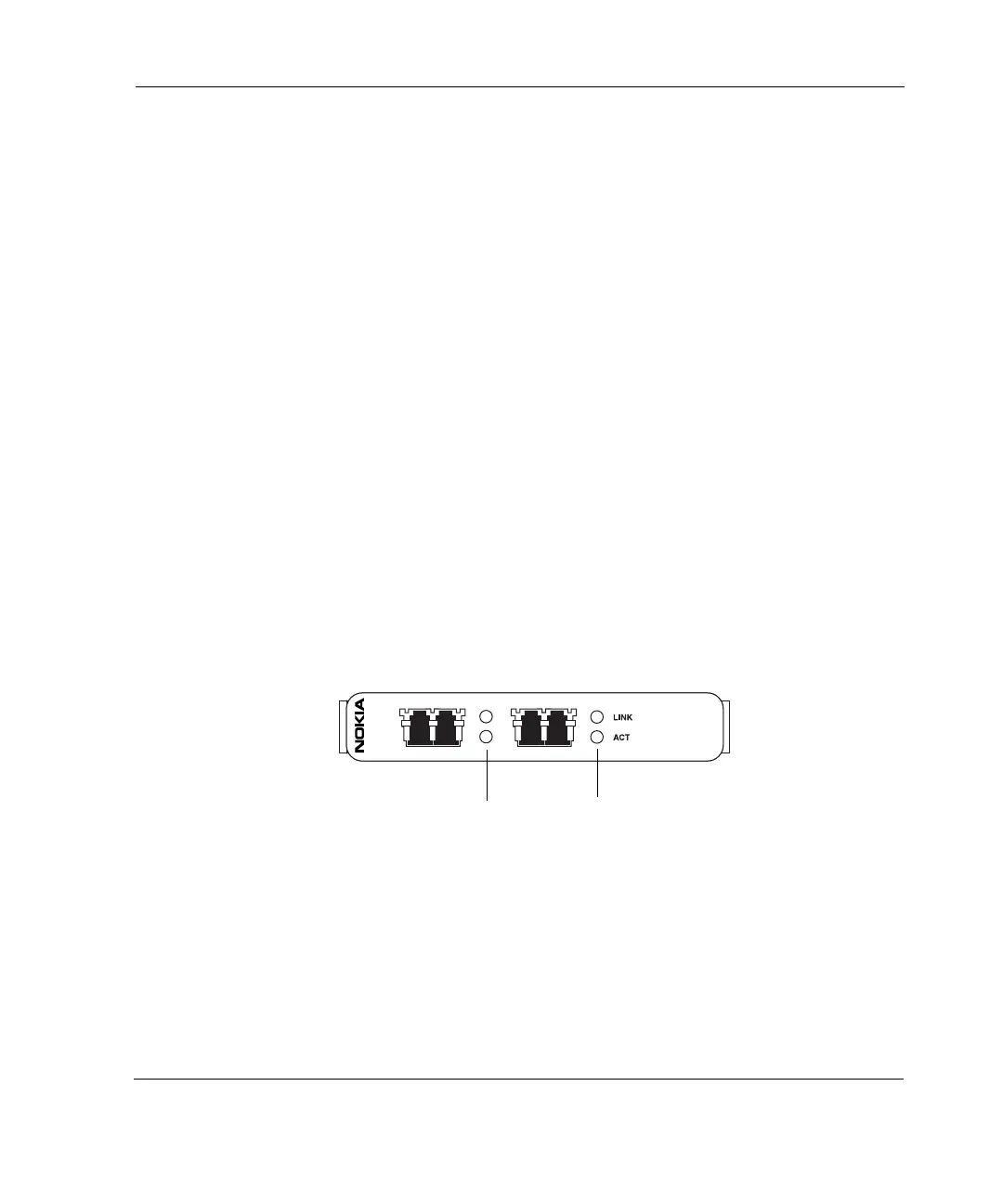
Figure 20 Two-Port Fiber-Optic Gigabit Ethernet NIC Front Panel Details
\
After the power is turned on and the cables are connected, the Ethernet link
LEDs on both the IP560 and on the remote equipment illuminate to indicate
the connection. As data is transmitted, the activity LEDs on the appliance
illuminate.
00239b
GIGE
Link LED (green)
Activity LED (yellow)
Port 1 (P1) Port 2 (P2)



 To Next Page