EasyManua.ls Logo

Nortel 7400 - Page 141

Nortel 7400
550 pages
Print Icon
To Next Page IconTo Next Page
To Previous Page IconTo Previous Page
Loading...
Chapter 23 FP cable upgrade 141
Multiservice Switch 7400 Hardware Installation, Maintenance, and Upgrade 6.1S2
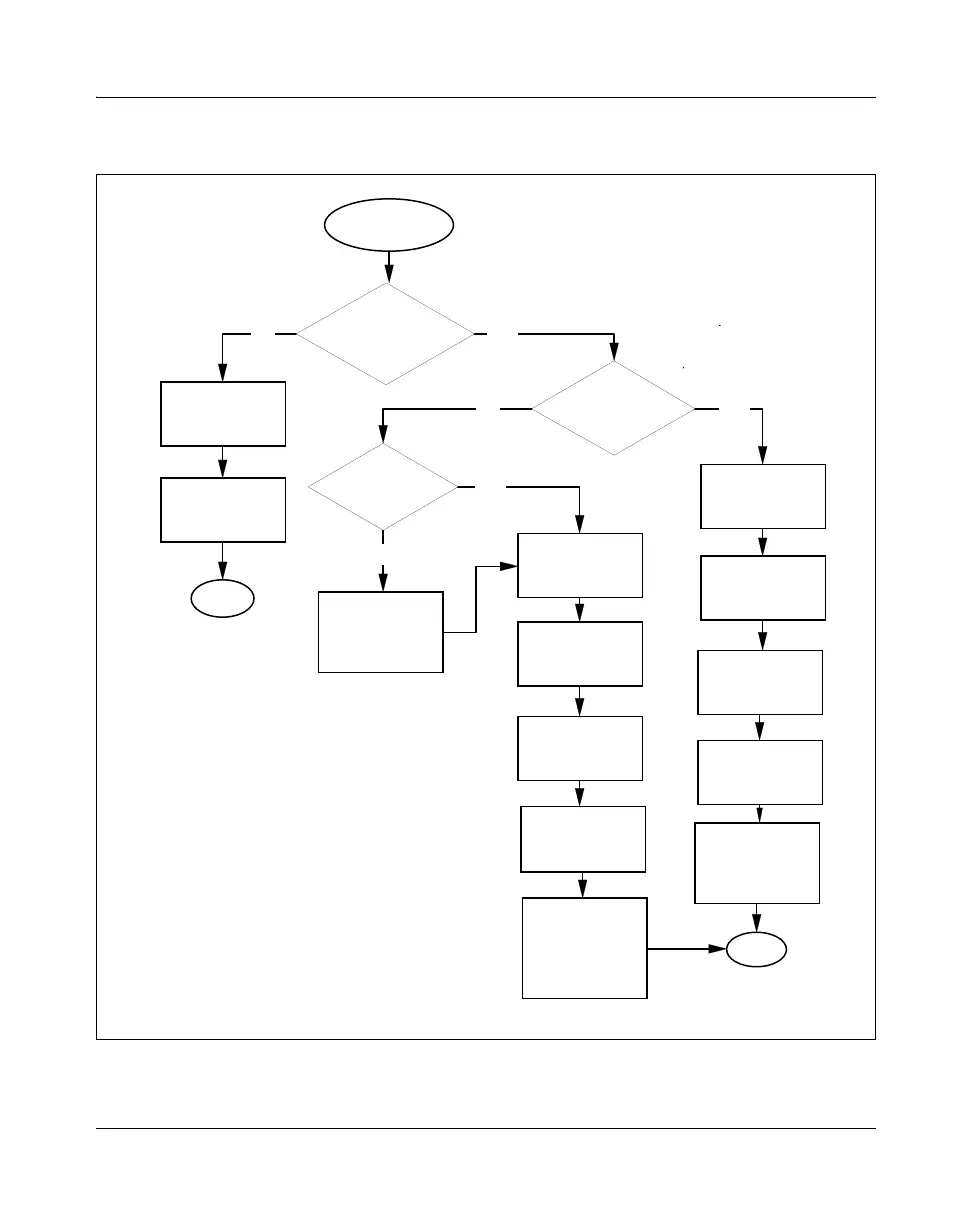
Figure 36
FP cable upgrade task flow
Yes
No Yes
No
No
Yes
Locking a function
processor
Removing FP
cables
Unlocking a
function
processor
Installing FP
cables
End
Switching between
active and
standby
processor cards
(if necessary)
FP configured
for APS?
Locking a port
Removing FP
cables
Installing FP
cables
Unlocking a port
Clearing a switch
request on a
Multiservice
Switch 7400
FP cable
upgrade
Spared
configuration?
Removing FP
cables
Installing FP
cables
FP already
standby?
Switching between
active and
standby
processor cards
End
For procedure page
numbers, see
Task flow navigation
below
PP_TASK_1113

Table of Contents