NovaPro HD User's Manual
www.novastar.tech -14-
Notes for screen settings:
a) If the number of ports with loads is n
(n≤4), the quantities of cabinets loaded by
each of the first n-1 ports must be equal (If
the quantity of cabinet loaded by each port
are different, please choose Advanced
Config and view details in Advanced
Configuration) and also be an integral
multiple of the quantities of cabinet rows
or columns and, meanwhile, be greater
than or equal to the quantities of cabinets
loaded by the nth port.
Example:
If Port 1, Port 2, Port 3 have loads, cabinet
quantity of Port 1 and Port 2 must be equal and
also be an integral multiple of the quantity of
cabinet row or column. As a result, set Port 1
Cabinet Qty only according to actual situation
during screen settings. The quantity of
receiving card loaded by Port 3 ≤ the
quantity of cabinet loaded by Port 1.
b) In case of special-shaped cabinets, cabinets with different size and special-shaped screen, the
software NovaLCT-Mars is required to be connected to configure the screen.
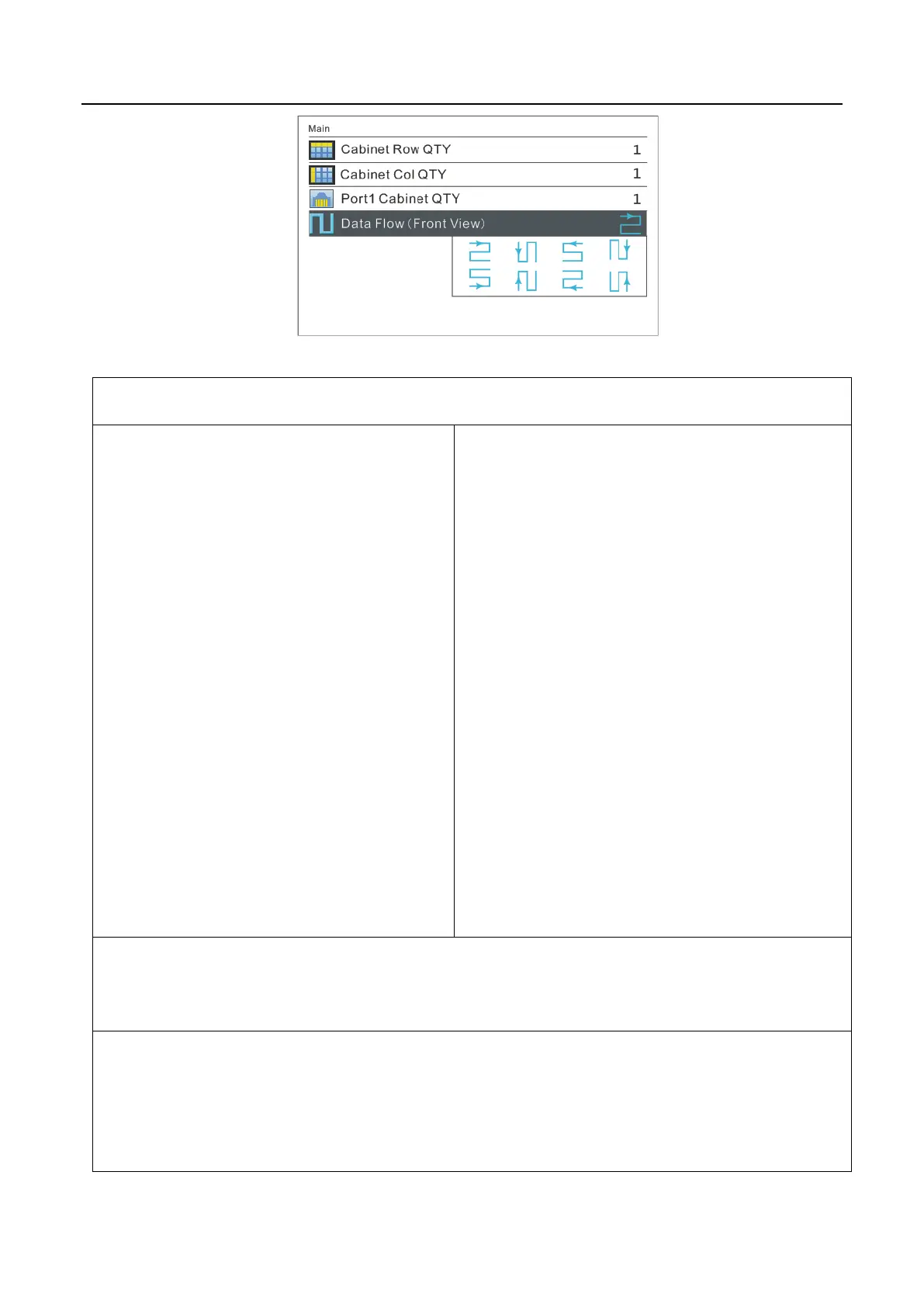
c) During Data Flow setting, turn the knob to see the results of different types of data flow on the
screen in real time. If satisfied with the current data flow, you must press the knob to save the
setting. Press return key to exit from current operation.



 To Next Page