MCTRL4K LED Display Controller
User Manual 7 Menu Operations
www.novastar.tech 28
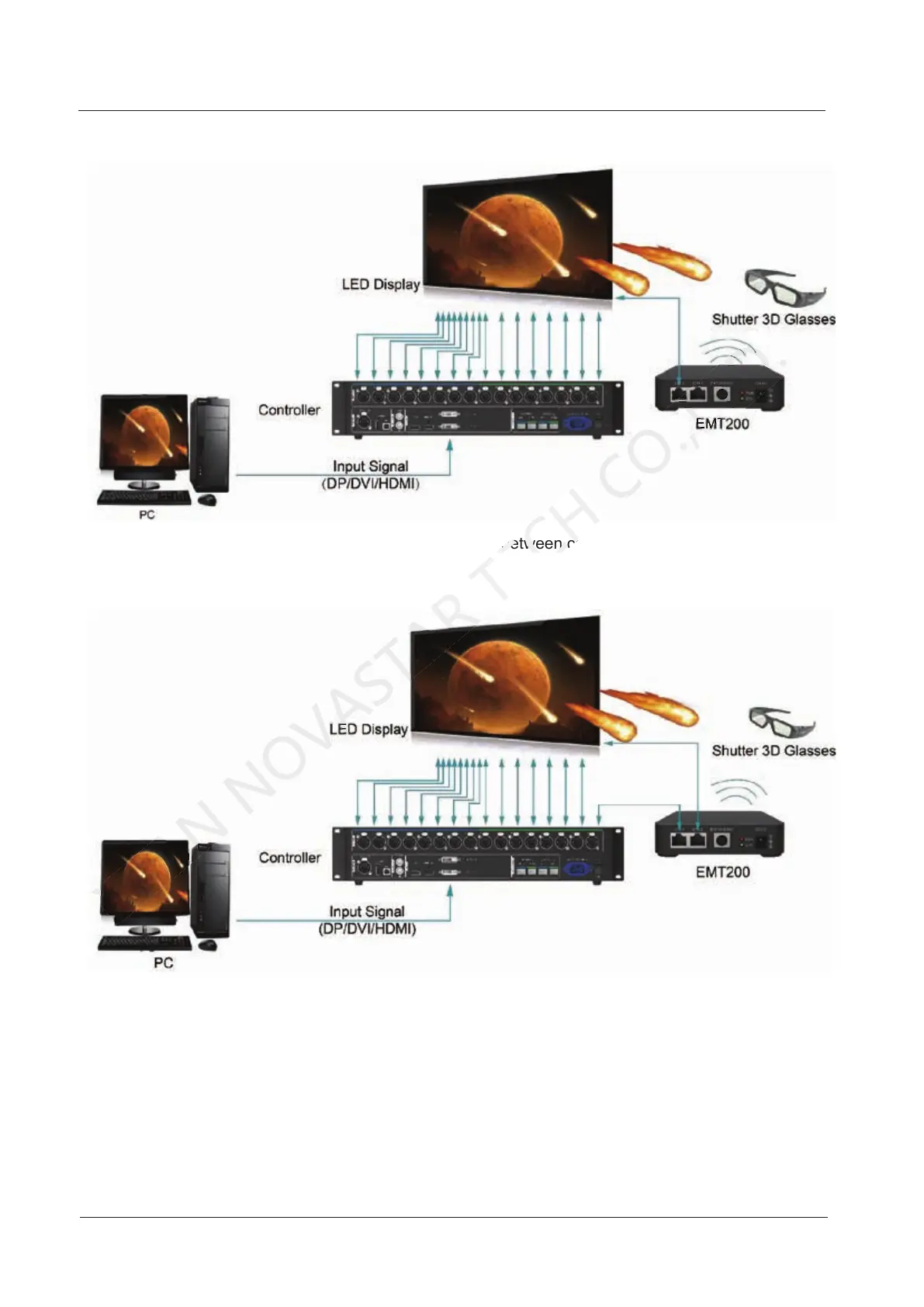
Figure 7-19 Application 1
Application 2: EMT200 connected between controller and receiving card
Figure 7-20 Application 2
3D Function Settings
Step 1 Connect hardware devices according to the corresponding application.
Step 2 Enable 3D function by using any of the following methods and set 3D parameters.
Method 1: On LCD menu
1. Press the knob to enter the main menu.
− If the input source is DUAL DVI, go to 2.
Application 2: EMT200 connected between controller and receiving card
TECH
Application 2: EMT200 connected between controller and receiving card



 To Next Page