MCTRL4K LED Display Controller
User Manual 7 Menu Operations
www.novastar.tech 29
− If the input source is HDMI/DP, go to 4.
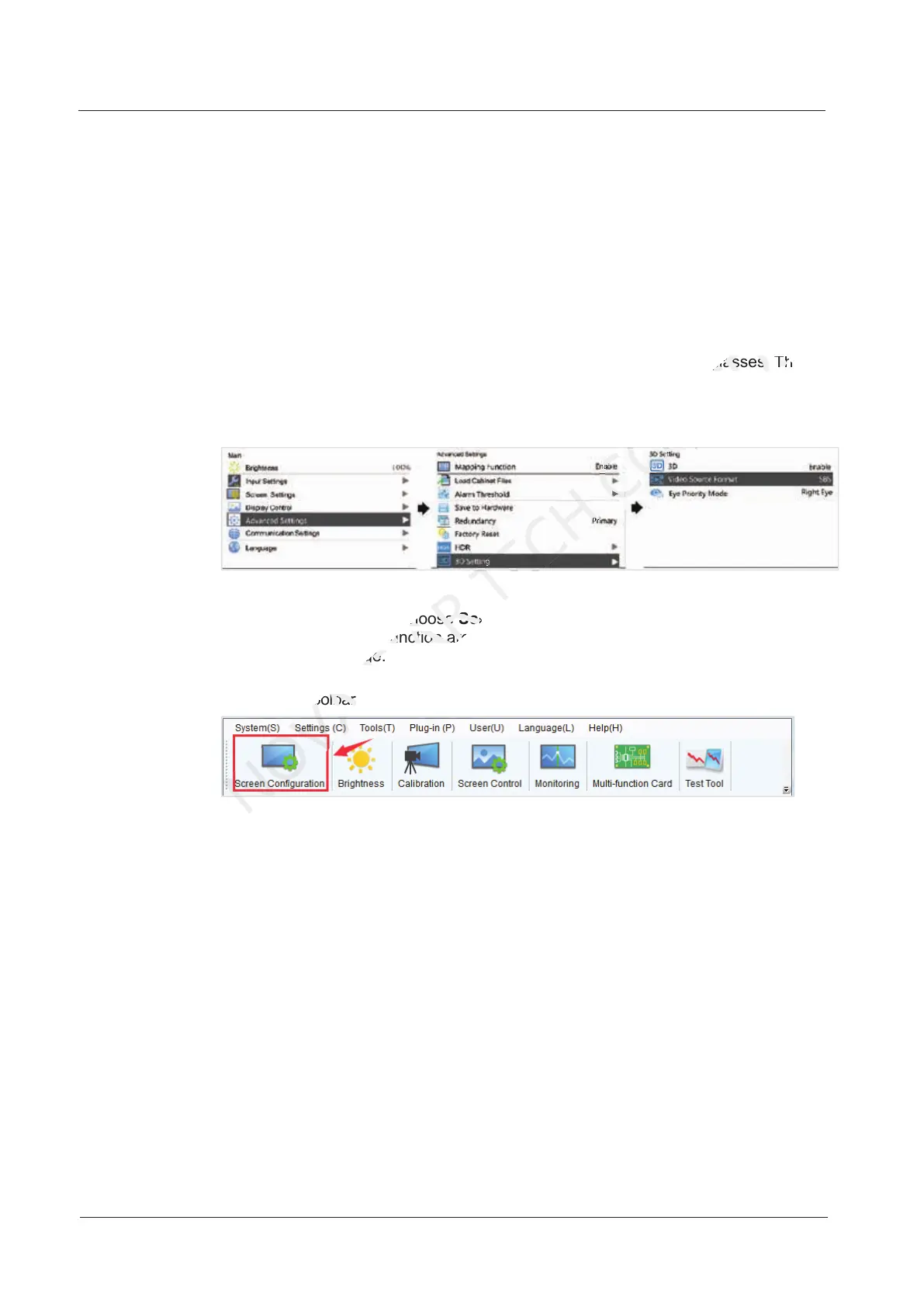
2. Choose Input Settings > Input Mode > DVI Mode > Mosaic.
3. Press the BACK button to return to the main menu.
4. Choose Advanced Settings > 3D Setting to enter its submenu.
5. Enable 3D and set the video source format and eye priority mode.
− Video source format: Set the format according to the format of the video
source. The options include SBS (side-by-side), TAB (top-and-bottom)
and Frame SEQ (frame sequential).
− Eye priority mode: Set the priority according to the 3D glasses. The
options include right eye and left eye.
Figure 7-21 3D settings on LCD menu
Method 2: In NovaLCT
1. Start NovaLCT, choose Screen Configuration > Sending Card, select
Enable in 3D function area and click Settings to enter the 3D parameter
settings page.
Figure 7-22 Toolbar
Start NovaLCT, choose
NOVASTAR
Start NovaLCT, choose
Screen Configuration
NOVASTAR
Screen Configuration
in 3D function area and click
NOVASTAR
in 3D function area and click
settings page.
NOVASTAR
settings page.
Eye priority mode: Set the priority according to the 3D glasses. The
CO.,LTD.
Eye priority mode: Set the priority according to the 3D glasses. The



 To Next Page