4 - 24 en-938821/2
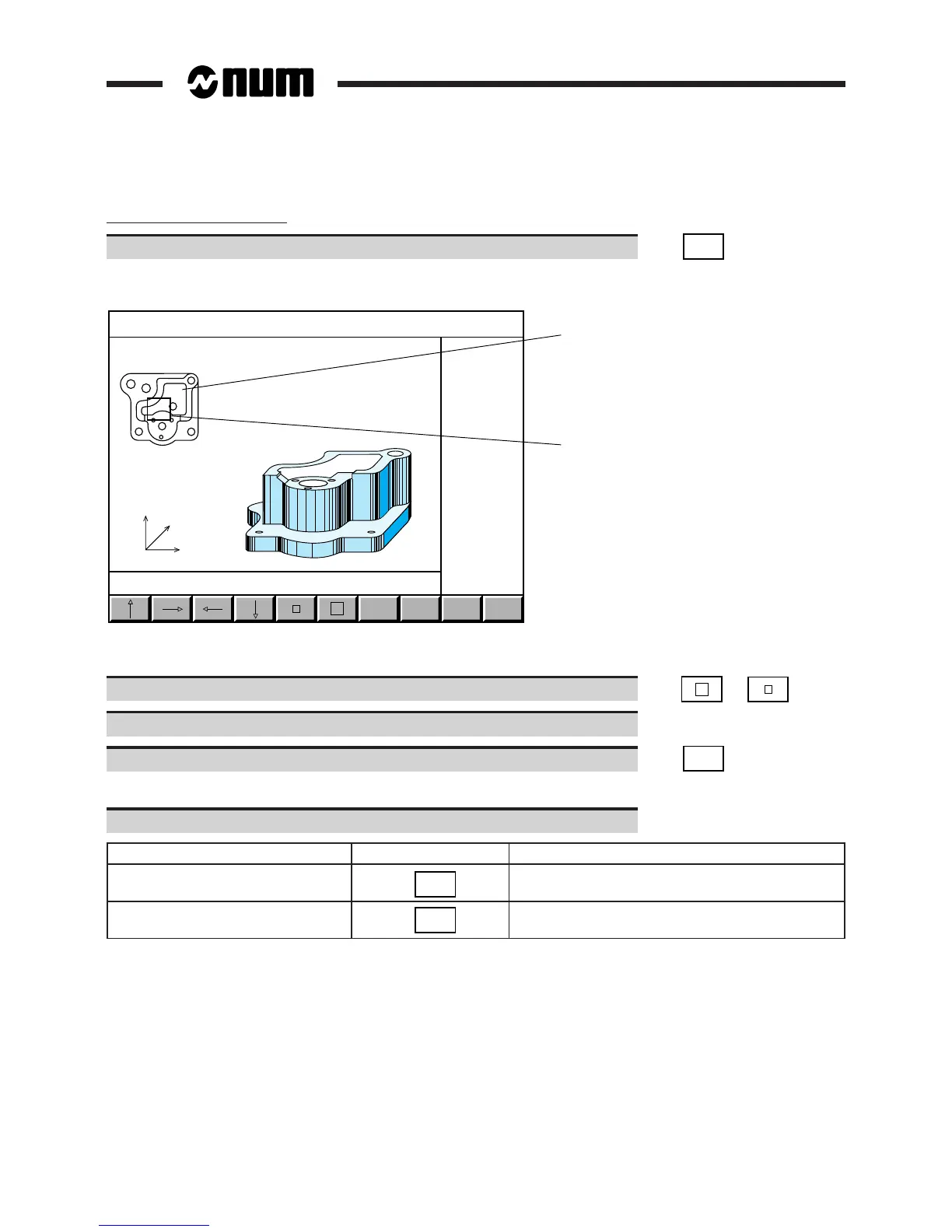
Enlargement of a part detail
Select the ZOOM function to enlarge a detail of the part. ☞
ZOOM
IN
3D display in ZOOM mode:
Z
Y
X
ZOOM
IN
EXIT
SAVE
ZOOM
FULL
VIEW
1
2
1 - View of part along machining axis
2 - ZOOM window
Change the window to the size required for the detail to be displayed. ☞ or
Use the softkey arrows to move the window over the area to be enlarged.
Enlarge the section. ☞
ZOOM
IN
Display of the selected area of the part.
Select the desired option (See table below).
Operation to be performed Softkey Result
Confirm enlargement
SAVE
ZOOM
Return to the 3D display page, the enlarged
of the part replaced the 3D model
Cancel the ZOOM mode
FULL
VIEW
Return to the 3D display page, the 3D model
is still displayed



 To Next Page