7
EN
TECHNICAL OWNER MANUAL
HARMONY H|SYNC OPERATION & CARE
A
4.3 Calibrating the Harmony H|Sync
System - Bosch Intuvia
If the Harmony system has been reinstalled, or
if system operation is inconsistent or incorrect,
your Harmony H|Sync system may need to be
calibrated.
To do this on the Bosch Intuvia system:
1. With all components connected, turn on
the Bosch Intuvia e-Bike system.
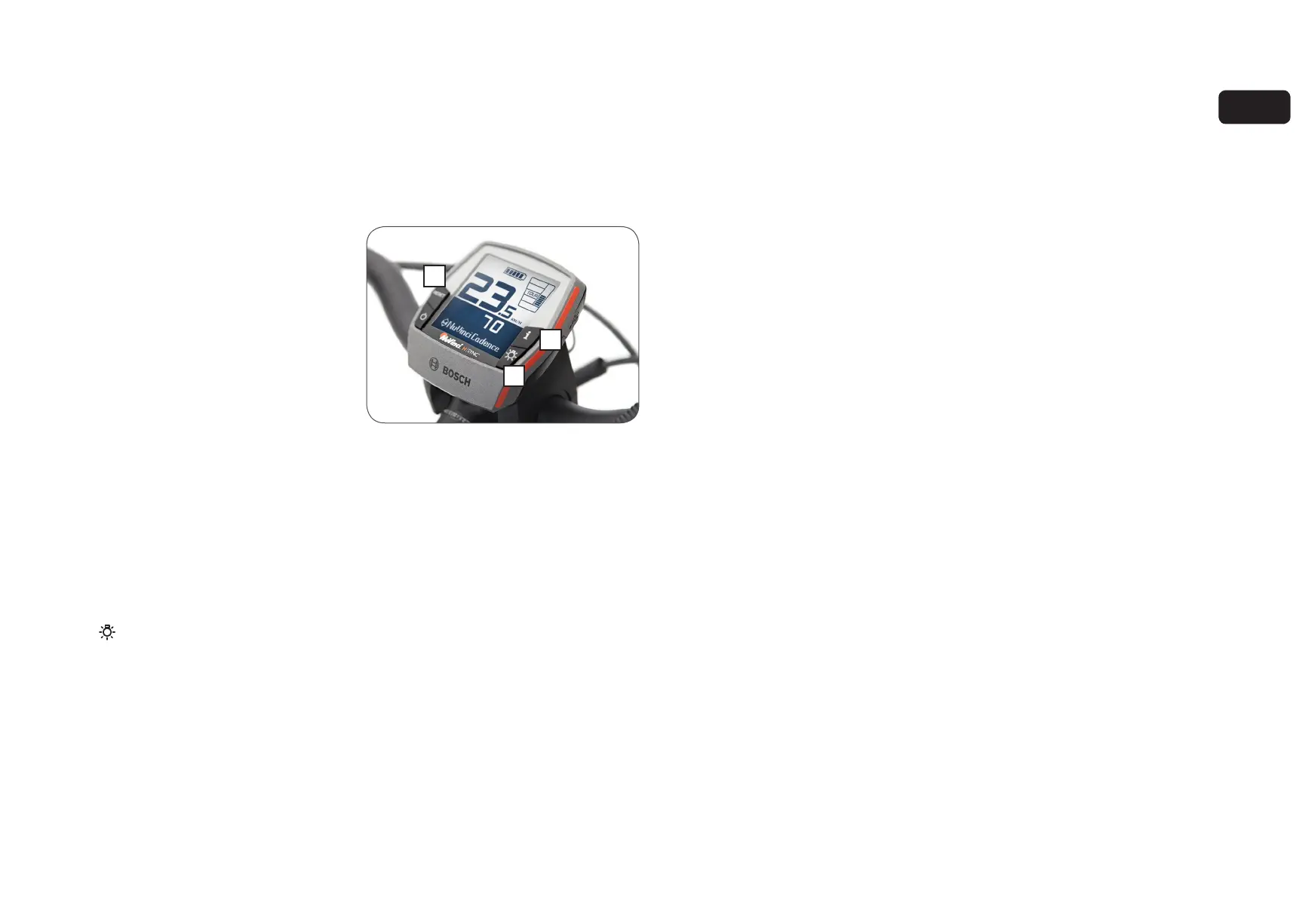
2. Engage the Bosch Intuvia “configuration”
mode by simultaneously pressing and
holding the [ RESET ] and [ i ] buttons (A).
3. Once in “configuration” mode, press the
[ i ] button until you see
“Gear calibration -->” on the Intuvia display.
4. With the rear wheel off the ground, begin
pedaling the bicycle quickly but lightly.
5. While continuing to pedal, press the
[ ] button (B) once to begin calibration
- continue pedaling quickly but lightly
throughout the procedure.
6. Once complete, the display will read
“Success”.
7. Exit the “configuration” mode by pressing
and holding the [ RESET ] button.
A
B



 To Next Page