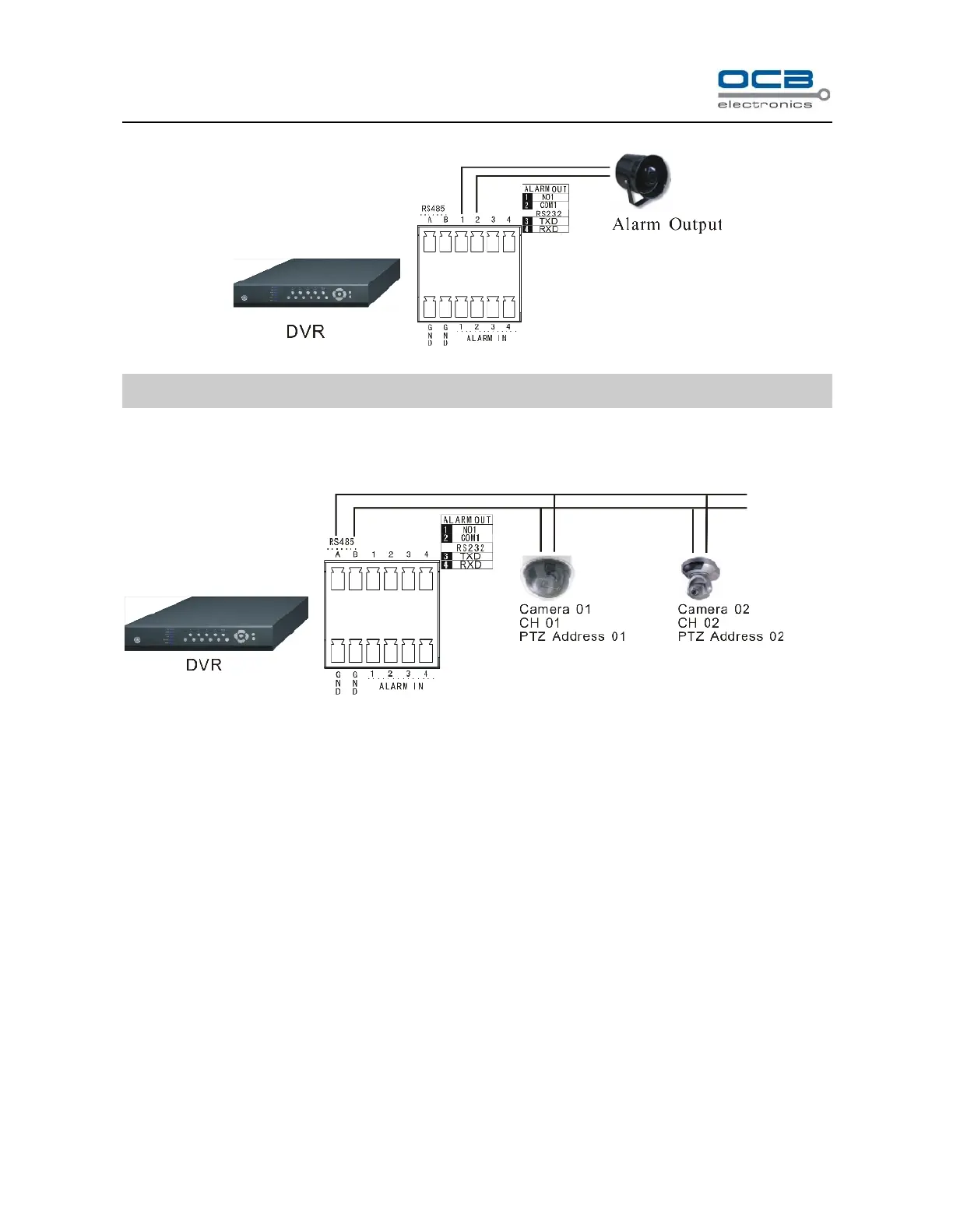
the alarm output enable.
Fig. 4
Note: 24VDC(1A), 120VAC(1A) voltage and current are suggested.
Section 5 PTZ (pan, tilt and zoom) control connection
Fig. 5
A and B ends of RS485 can be connected with the Rx+, Rx- on PTZ or High Speed Dome. After all the above
connection, please enter the “PTZ” menu to setup camera and PTZ address, baud rate, PZT protocol. After the
setup, please control them by running the DVR_WEB software. About the DVR_WEB setting please refer
“Chapter Ⅶ”.
WARNING: PLEASE SET ALL OF THE PTZ ADDRESSES DIFFERENTLY.
Note: 1. Please do not connect RS485 and RS232 simultaneously.



 To Next Page