“Chapter Ⅶ”.
Method 2: You can use this function to upgrade the firmware.
(1)Create a file with a name of “update” in the USB storage, and copy the firmware file to this directory and
rename it with special file name, for example: ocb-dvr404d.img. Then insert eternal device into USB port of DVR
after modification.
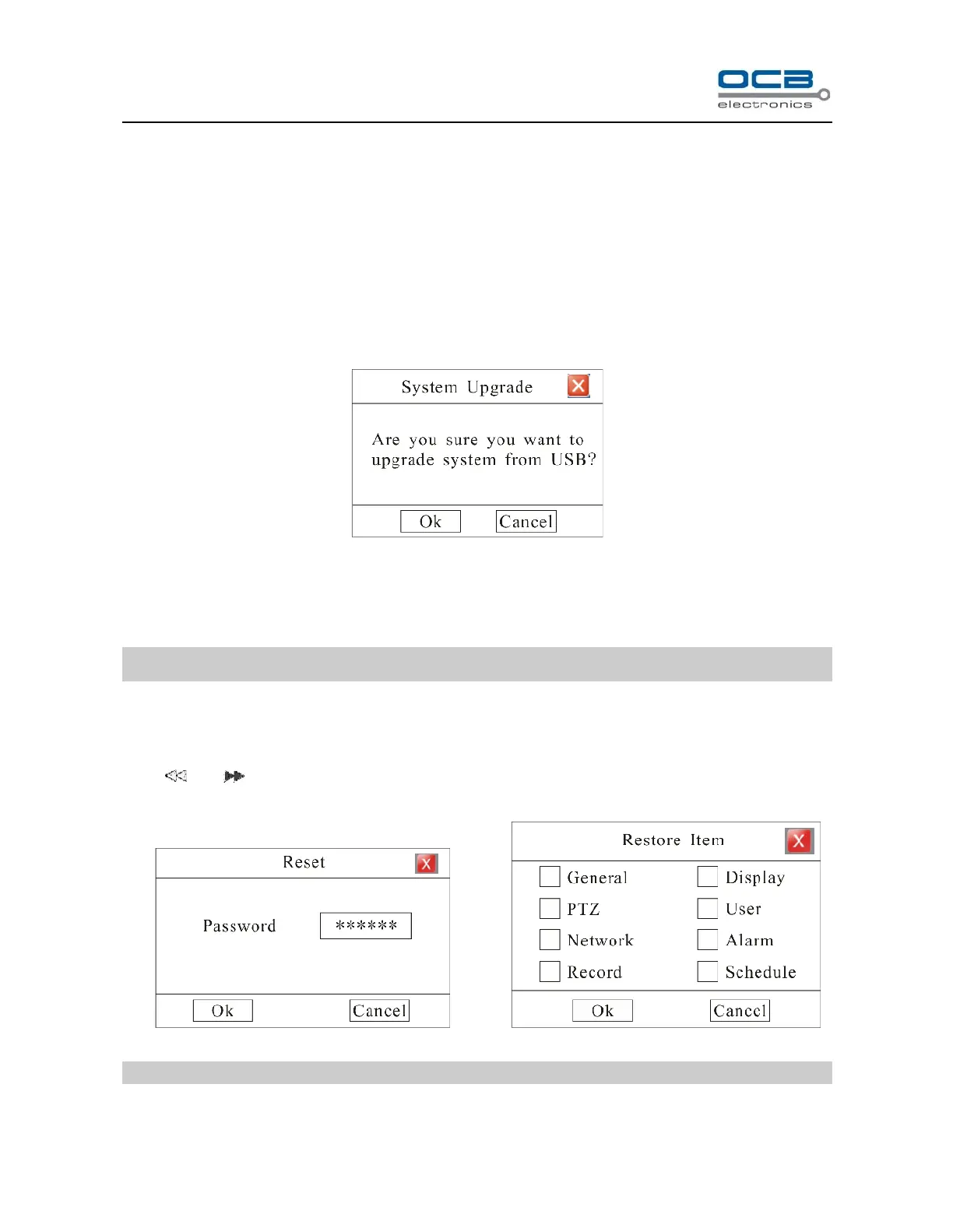
(2)Enter “Main Menu—Advanced—Maintenance—USB Upgrade” as shown in Fig.42.
Fig. 42
Press “OK” to update system, “Cancel” to give up update.
New firmware will be applied after rebooting.
Note: Please DO NOT unplug the flash memory during the entire system updating process.
Section 18 Reset
Press and simultaneously for 1 second then “Reset” menu will pop-up. Input correct password and
press ‘OK’ then system will pop-up “Reset Item” box. Select items in this menu and press OK to reset.
Fig. 43 Fig. 44
Note: Please call your distributor for the password.



 To Next Page