select ‘ALL’ after finishing the setup of parameters of one channel. The system will prompt a dialog box.
When pressing ‘OK’, parameters setup for all channels will be achieved.
Note: “Sheltering” and “Video Loss” settings please refer to “Motion” setup.
Alarm Elimination
Click icon on the status bar to eliminate alarm if the alarm is activating.
Section 9 Playback/Backup
Playback
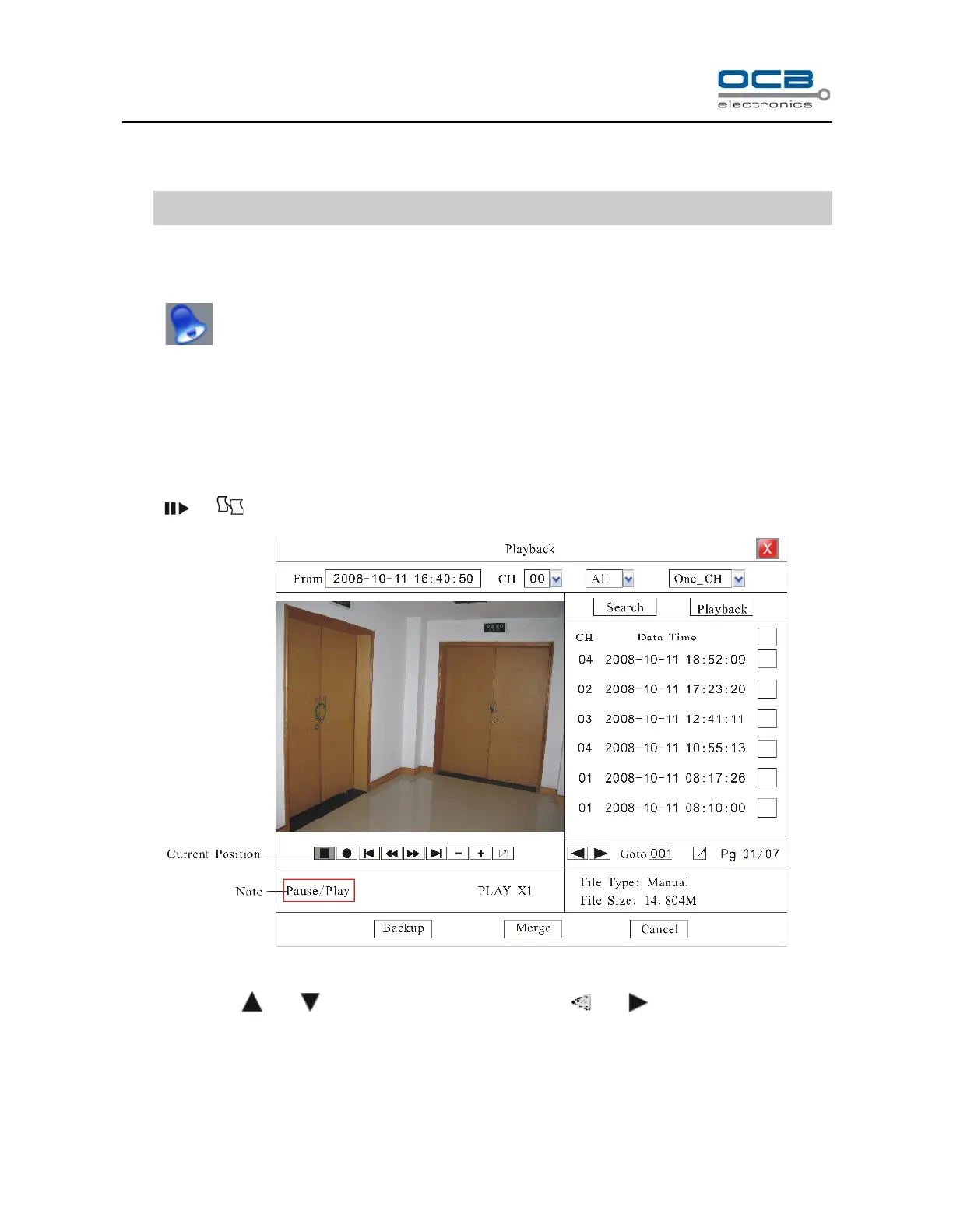
Press or in front panel to enter the search interface as show in Fig. 25
Fig. 25
Move cursor with and on the front panel and select item with and .
From:Set the starting time.
CH:If the “CH” channel is selected as 00, files of all channels will be searched, and at this time, 4 channel
playback simultaneously is unavailable.



 To Next Page