In “User Operation” menu, select “Modify” to enter into “Authority Setup” menu as shown in Fig.
32. Select “Password Set” to enter into “Password Setup” menu. Password is composed of number,
uppercase and lowercase letter with 6 digit maximum.
2. Password can be set after logining system as Normal User. Select “User” and press “ENTER” to modify
password in “Password Setup” interface.
Authority Setup
When you login as “Admin”, you can setup the authority for new users.
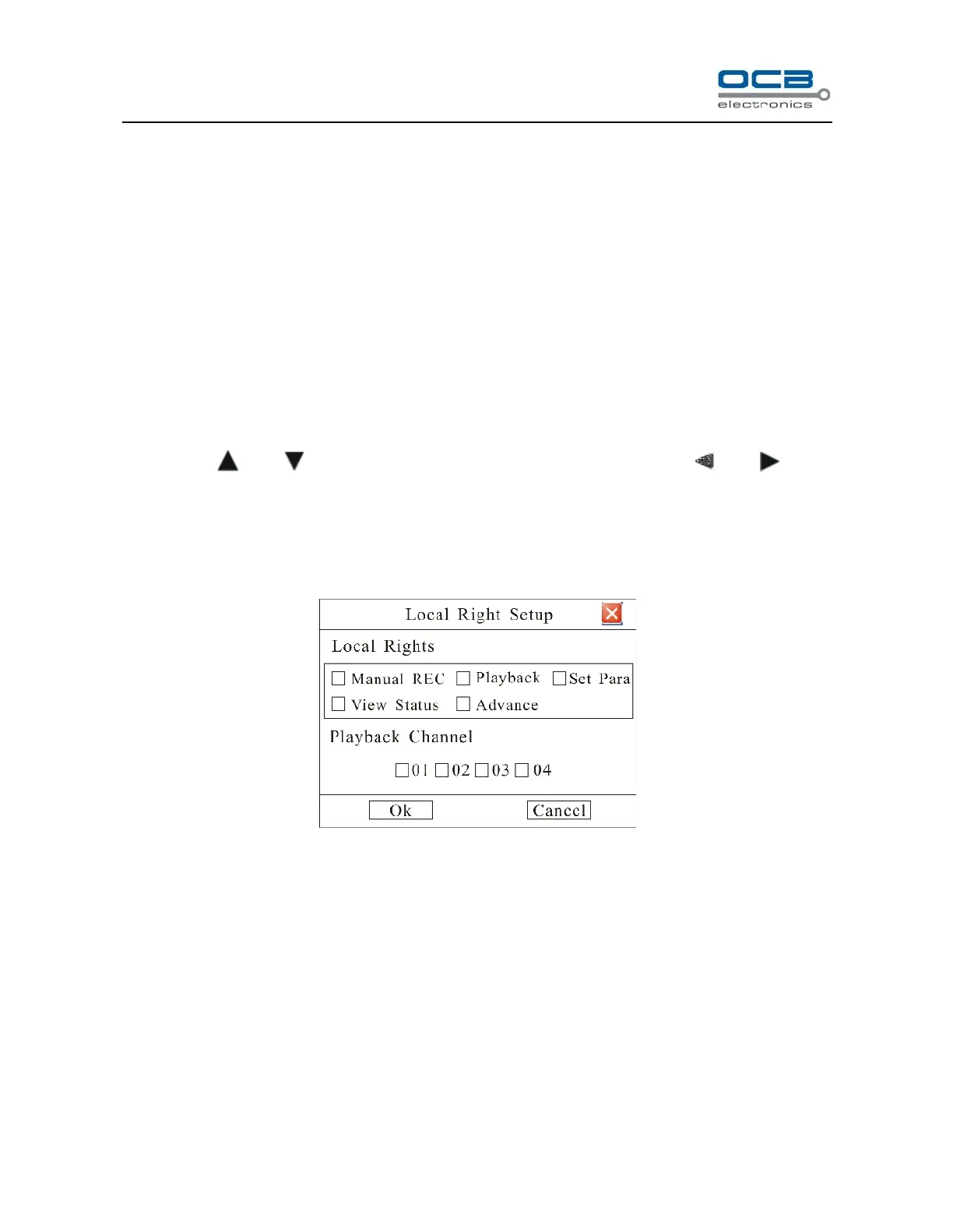
Operational authority is divided into “Local Rights” and “Remote Rights”. You can assign the necessary rights to
the user. Use “ ” and “ ” key to move cursor to the corresponding right items, press “ ” and “ ” key to
enable or disable the item.
After you finish, press “Enter” button, the user’s rights will be saved. If you press “Cancel” button, the user’s
rights will be aborted.
Fig. 33
Local Rights:
Local rights are for local operation.
Manual REC: Manual start/stop recording;
Playback: Local playback and backup the recorded files, can be set for each channel.
Set Parameters: Locally setup the DVR parameters.
View Status: Locally view the log on DVR.
Advance: Locally upgrade firmware, format HDD, reboot DVR and look over the online user, etc.



 To Next Page