Section 16 Information Inquiry
Log Information
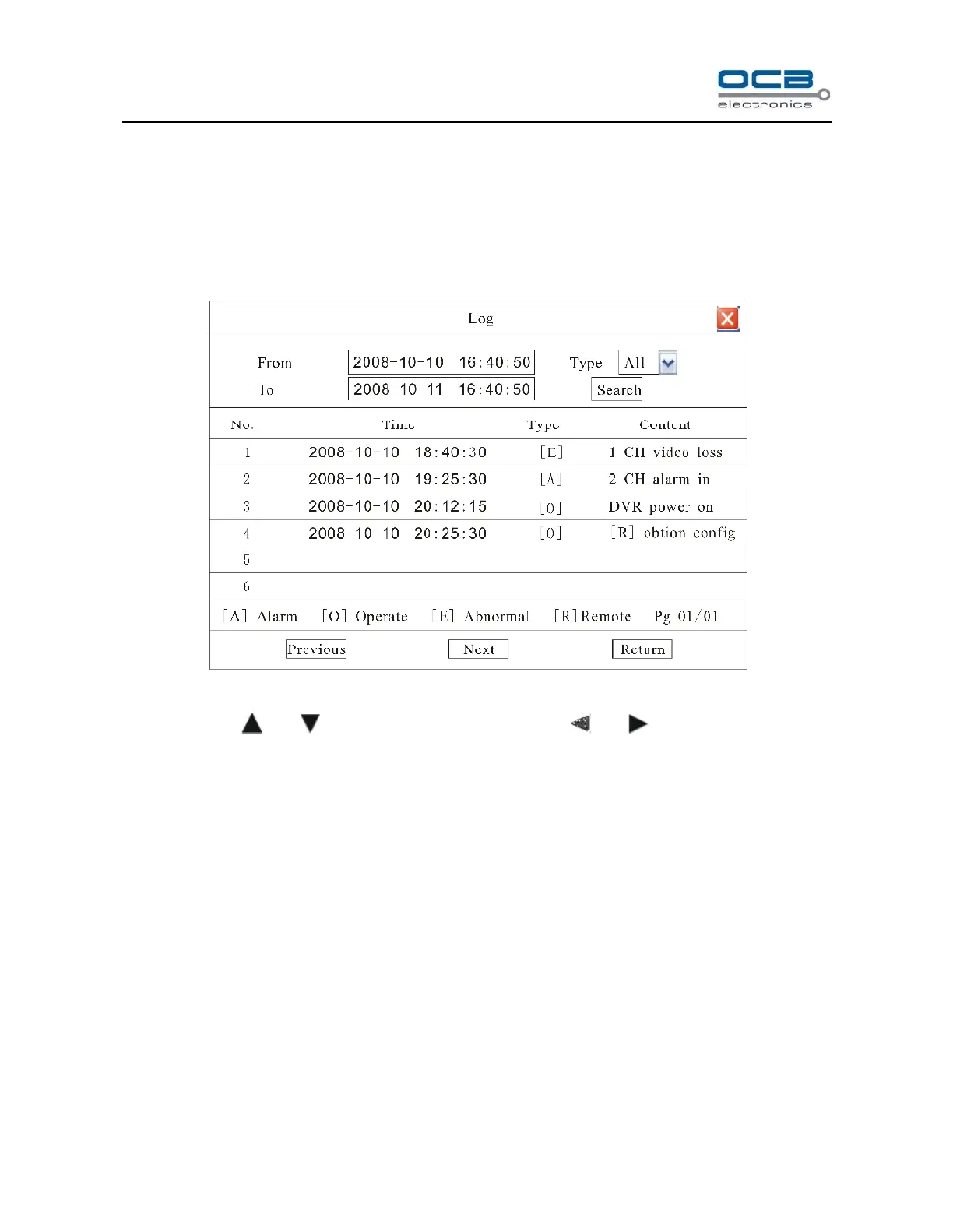
Enter “Main Menu-Information-Log” as shown in Fig.39.
Fig. 39
Move cursor with and on the front panel and select item with and .
Input start time and stop time and then move cursor to “Search” button and press “ENTER” key to start searching.
Type include: Alarm (A), Operate (O), Abnormal (E), and All.
When searching is finished, DVR will list all information. You can press “Previous” or “Next” key to view more
information.
Version Information
Enter “Main Menu-Information-Version” as shown in Fig.40.



 To Next Page