Network connection indicator, lighting constantly when network is
connected.
IR remote receive indicator, flashing when control this DVR with IR
controller.
Alarm indicator, flashing when alarm is activated.
1-4ch record indicator (it lights when corresponding channel is recording)
Backup indicator, lighting constantly when backup is working.
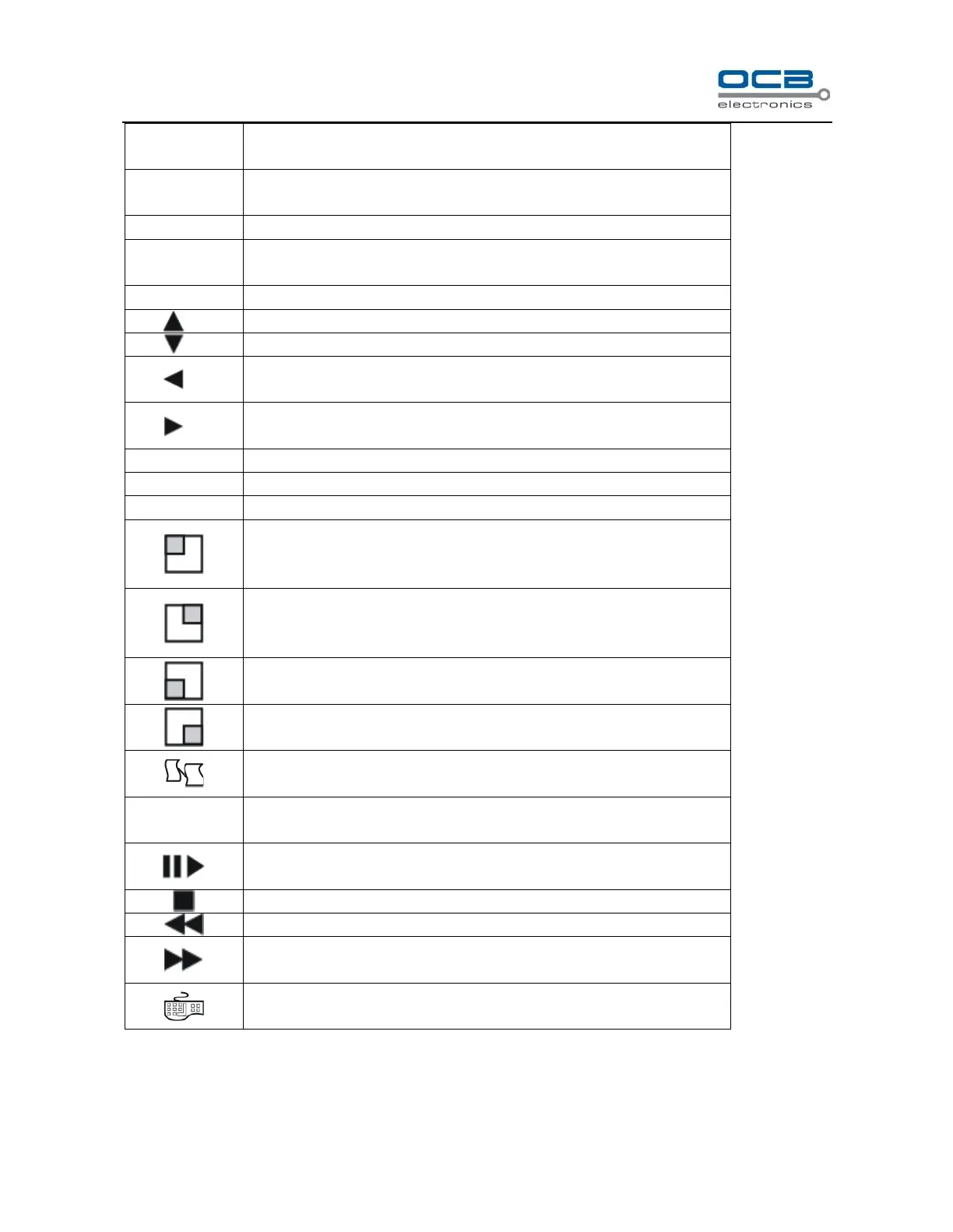
1. Direction key “UP” 2. Display the status bar in preview mode
1. Direction key “DOWN” 2. Hide the status bar in preview mode
1. Direction key “LEFT” 2. Playback forward slowly at *1/2, *1/4 in
full screen mode
1. Direction key “RIGHT” 2. Playback forward fast at *2, *4, *8 in full
screen mode
1. “OK” key 2. Set up mute mode and cancel mute mode
1. 4-screen display or the first channel full screen display
2. Motion and Shelter area enable
3. Select pane “1” in cover area setting
1. 4-screen display or the second channel full screen display
2. Motion and Shelter area disable
3. Select pane “2” in cover area setting
1. 4-screen display or the third channel full screen display
2. Select pane “3” in cover area setting
1. 4-screen display or the forth channel full screen display
2. Select pane “4” in cover area setting
Pop-up the dialogue box of manual recording
1. Entry search and playback interface
2. Pause/Play recording file , under playback mode
Jump forward under playback mode.
Jump backward under playback mode.



 To Next Page