Scanning 25
Scanning in Batch mode
The Océ 3050 Microfilm Scanner automatically feeds and scans a batch of
cards placed in the input hopper of the scanner. After a card has been ejected
into the output hopper, the scanner automatically feeds the next card.
The image of each card is displayed on the Run-Time Display window as the
batch process proceeds. When the output mode is set to Print, File or Print/File,
the system automatically produces paper copies and/or data files for each card
scanned.
All the necessary controls and functions are provided in the Control window
of the Océ
3050 Windows software so that scanning can be performed
automatically, requiring your intervention only for loading and unloading
stacks of cards.
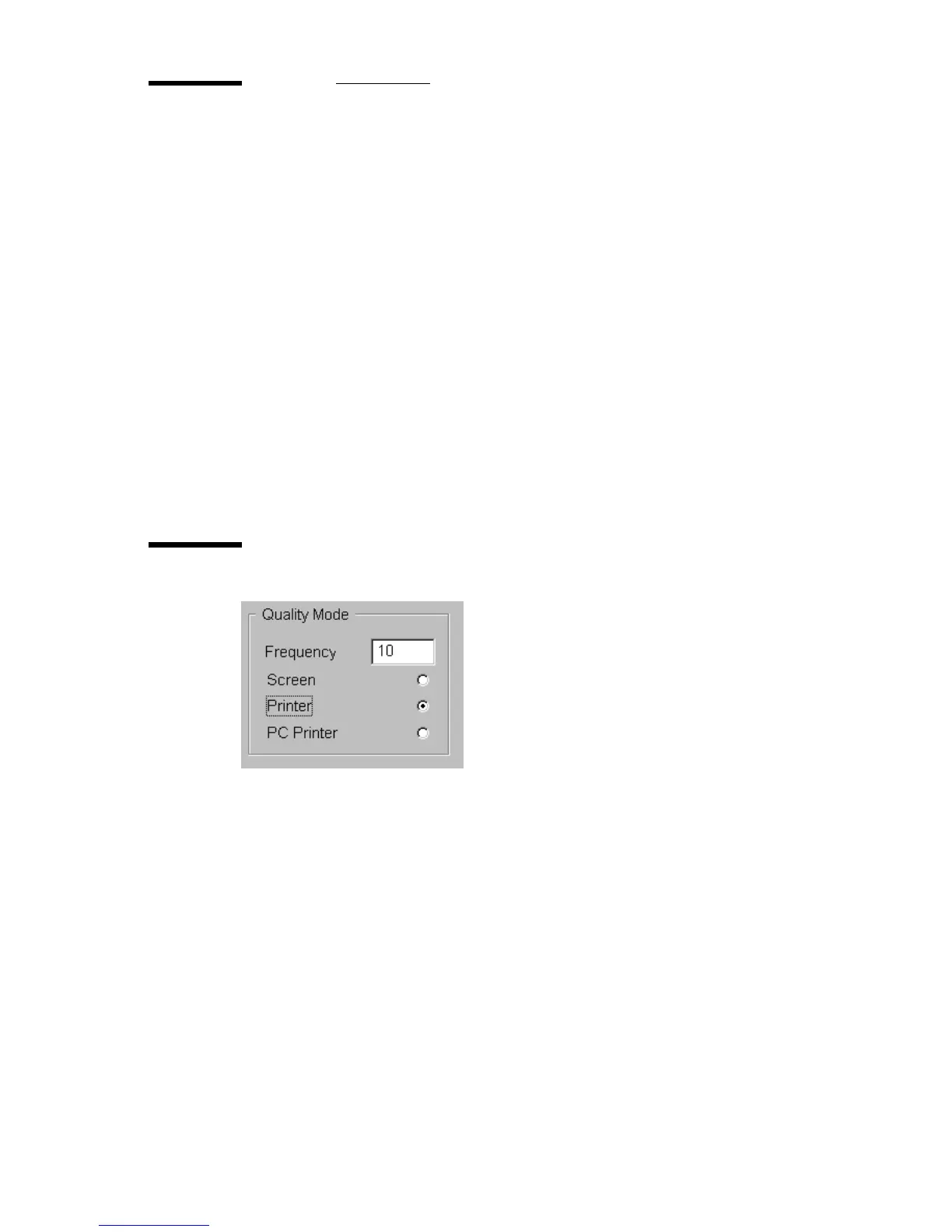
Quality mode
[11] Quality mode
When using the Quality mode feature, scanning proceeds automatically for a
predefined number of cards. This number is the ‘frequency’ of the Quality
mode (between 1 and 250). If you set the frequency to 10, for example, the
scanner automatically scans and generates outputs for 9 cards. A special output
can be created for every tenth card, allowing you to check the quality of the
images.
The following output options are available for the Quality mode:
■ Screen: you can view every tenth card on the window.
■ Printer: you can make a print of every tenth card on the selected printer.
■ PC Printer: you can make a print of every tenth card on a local Windows
printer.
2070.tif



 To Next Page