File handling and administration 85
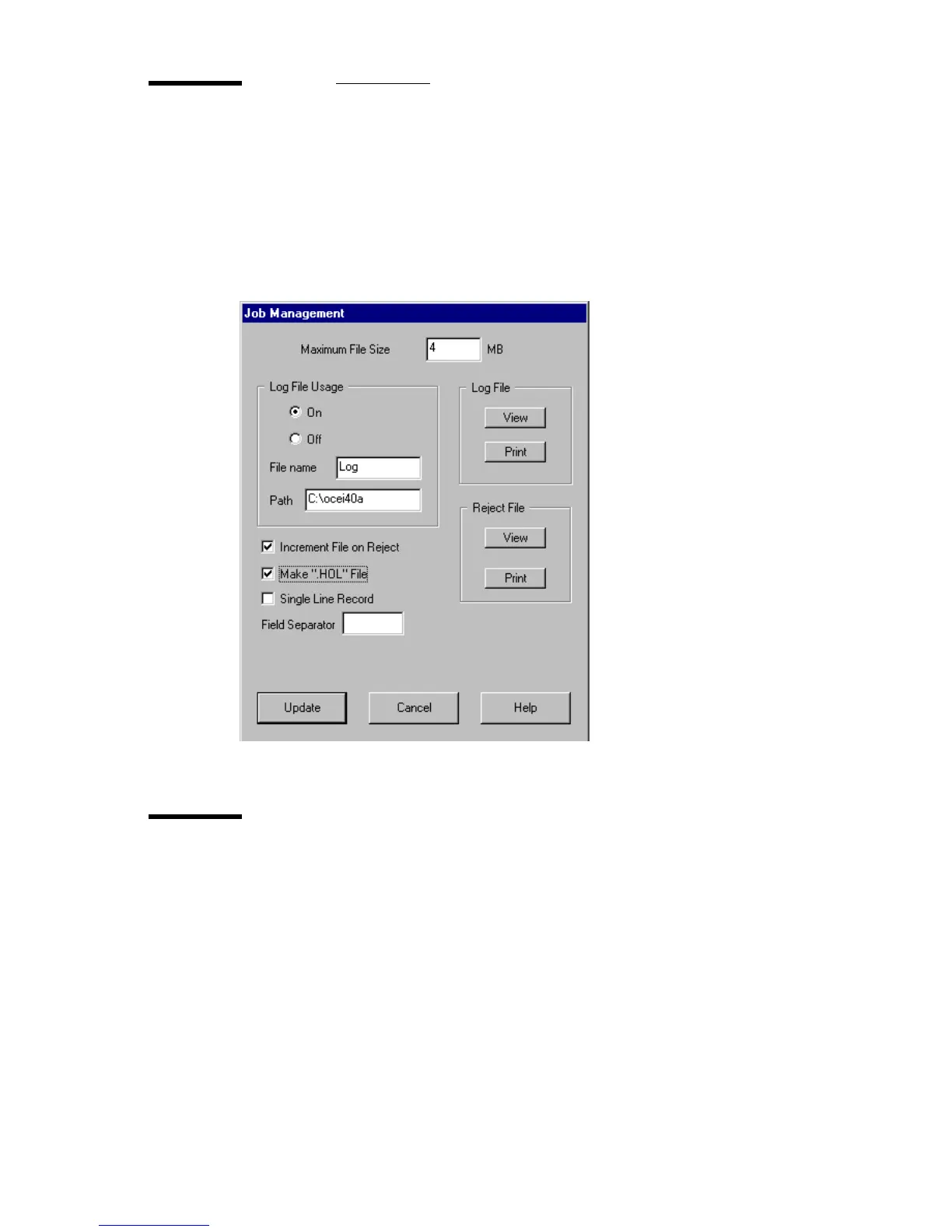
The Job Management Menu
The Job Management Menu allows the setup of the log file, the file size limits
for the scanning job, and additional options concerning rejected cards and
generating separate Hollerith files. Click the Job Management button to open
the menu:
[57] The Job Management menu
Maximum File Size
This option sets the maximum size of a data file in MB. If the specified file size
is exceeded, the card is automatically rejected if in Batch mode. In Single or
Auto Feed mode, an error message is displayed. If rejected, an entry is
automatically made in the
REJECT LOG file as well as in the normal LOG FILE,
but no image is saved.
Note: If you have 16 MB of internal RAM, the maximum file size cannot be
larger than 4 MB. If you need larger files, you will need to install more RAM.
2120.tif



 To Next Page