58 Océ 3050 User Manual
Hollerith Control
Hollerith control allows you to fetch the information for size and file name for
the scanned images from the cards.
Approximate 1000 Hollerith files can be generated. It is possible to define up
to approximate 1000 different Hollerith file structures within 1 Hollerith file
which can be activated at the same time.
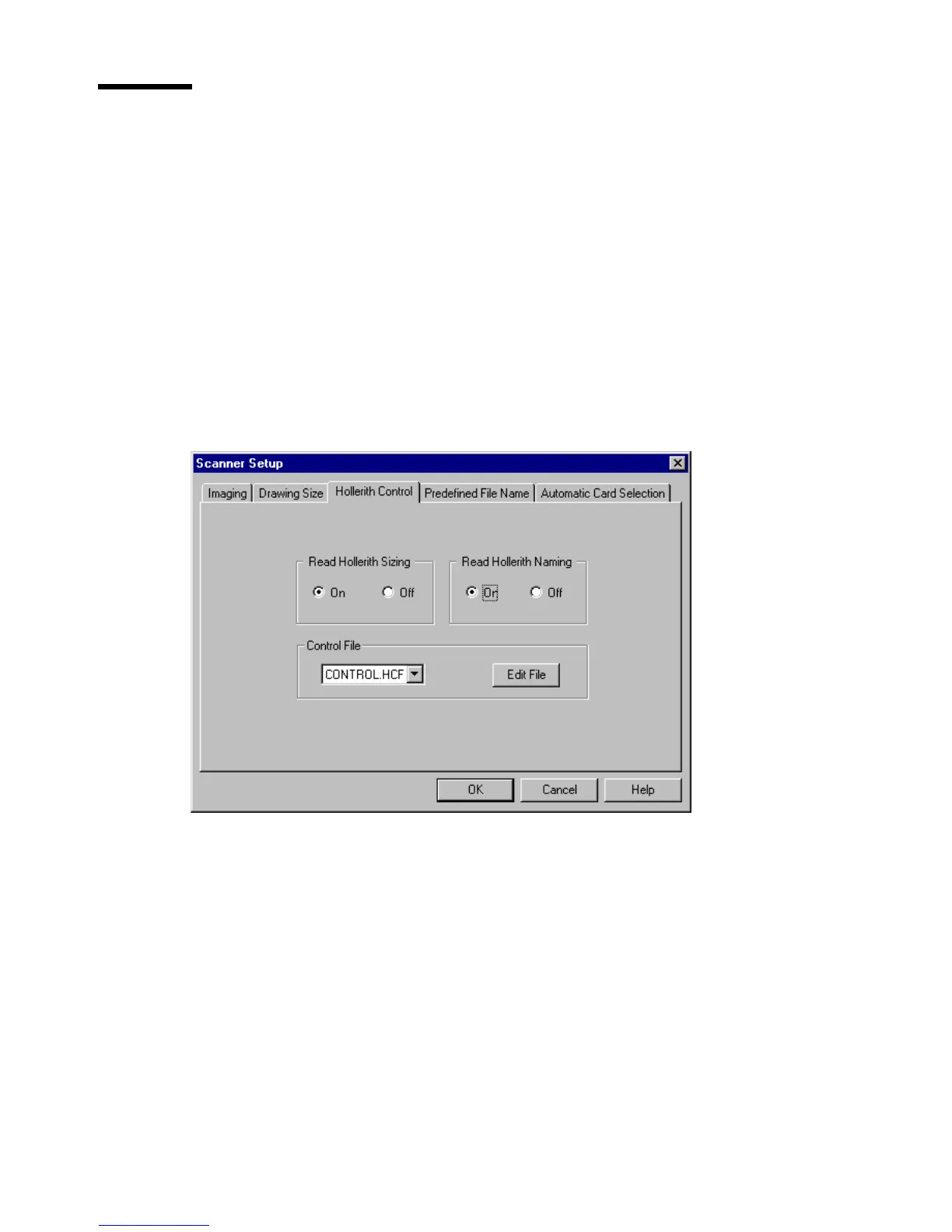
The Hollerith Control card consists of three main parts:
■ Hollerith sizing
■ Hollerith naming
■ Control File.
[32] Hollerith Control card
Hollerith sizing When this option is on, the Hollerith reader in the scanner
reads the information for the size of the scanned images from the cards, in
accordance with the selected Hollerith Control File.
When this option is off, you select the appropriate sizes in the Edit Drawing
Size File window, or in the Control window before starting a scanning session.
Hollerith naming When this option is on, the Hollerith reader in the scanner
reads the name for the data files for scanned images from the cards, in
accordance with the selected Hollerith Control File.



 To Next Page