Setting up the Océ 3050 Microfilm Scanner 45
SCANNER SETUP / IMAGING
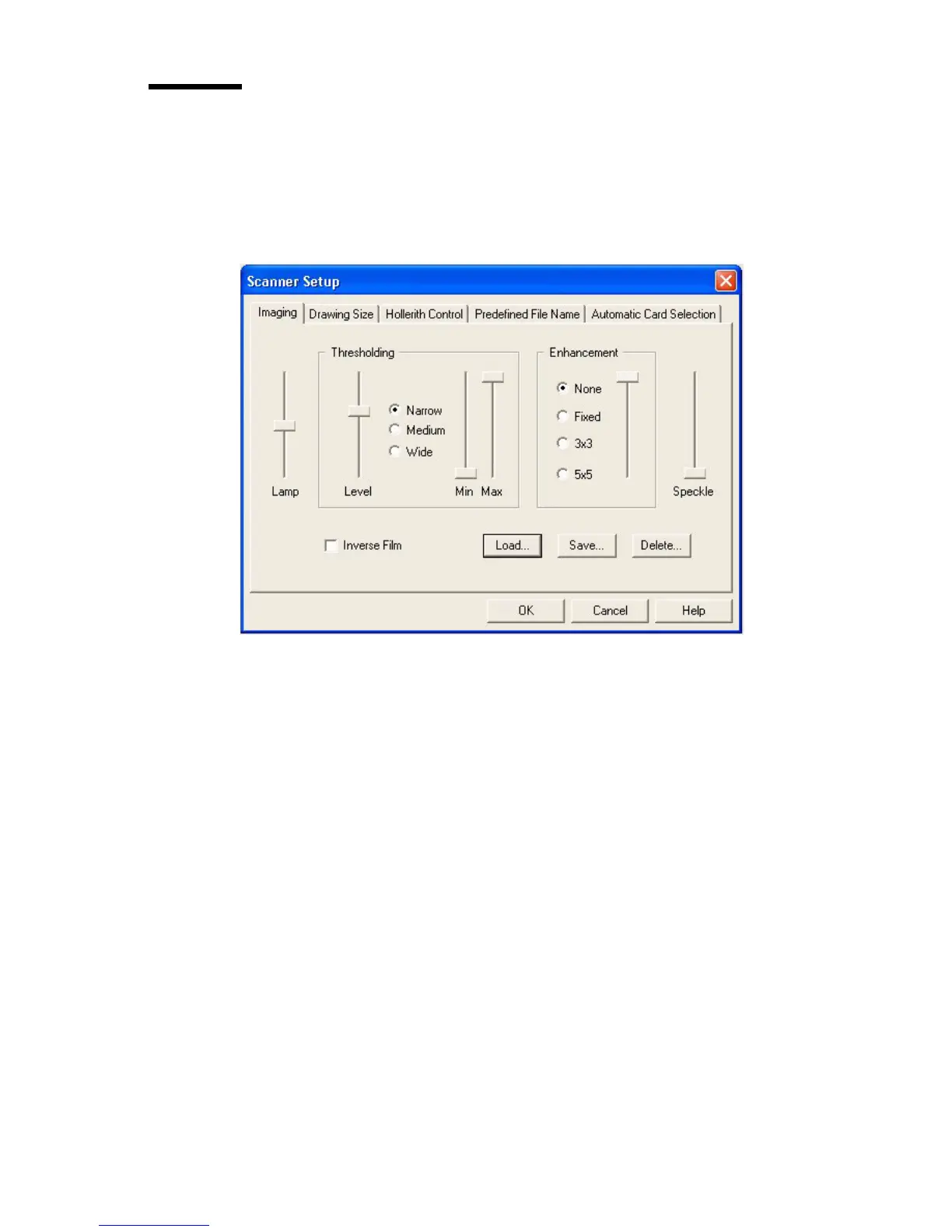
The Imaging card sets up suitable image processing parameters for the type of
cards to be scanned. You can define a group of parameters and save it in a
template for future use. Up to nine different templates can be predefined for
future use.
[21] Imaging
The setting of the imaging parameters is described in detail below.
LAMP The Lamp slider allows the lamp intensity to be boosted above its
normal calibrated setting. The normal setting is the optimum for all batch
scanning and most other scanning but setting the LAMP BOOST parameter to
a higher level increases the illumination on the film and will give improved
scanning of images which have been improperly filmed and in which the
foreground data (lines) is dark (a high density) over the whole image.
It is important to realise that boosting the lamp is likely to cause the imaging
signal from the CCD to become saturated on normal density images and hence
it is important to return the LAMP BOOST setting to normal (zero) afterwards
by resetting it to zero or by reselecting the NORMAL template.



 To Next Page