Setting up the Océ 3050 Microfilm Scanner 59
When this option is off, the system prompts you to enter a name for the scanned
images files when starting the scanning session.
Note: When you select ‘Hollerith’ as input size in the Control window, the
option ‘Hollerith sizing’ is automatically switched on. ‘Hollerith Naming’
however remains off.
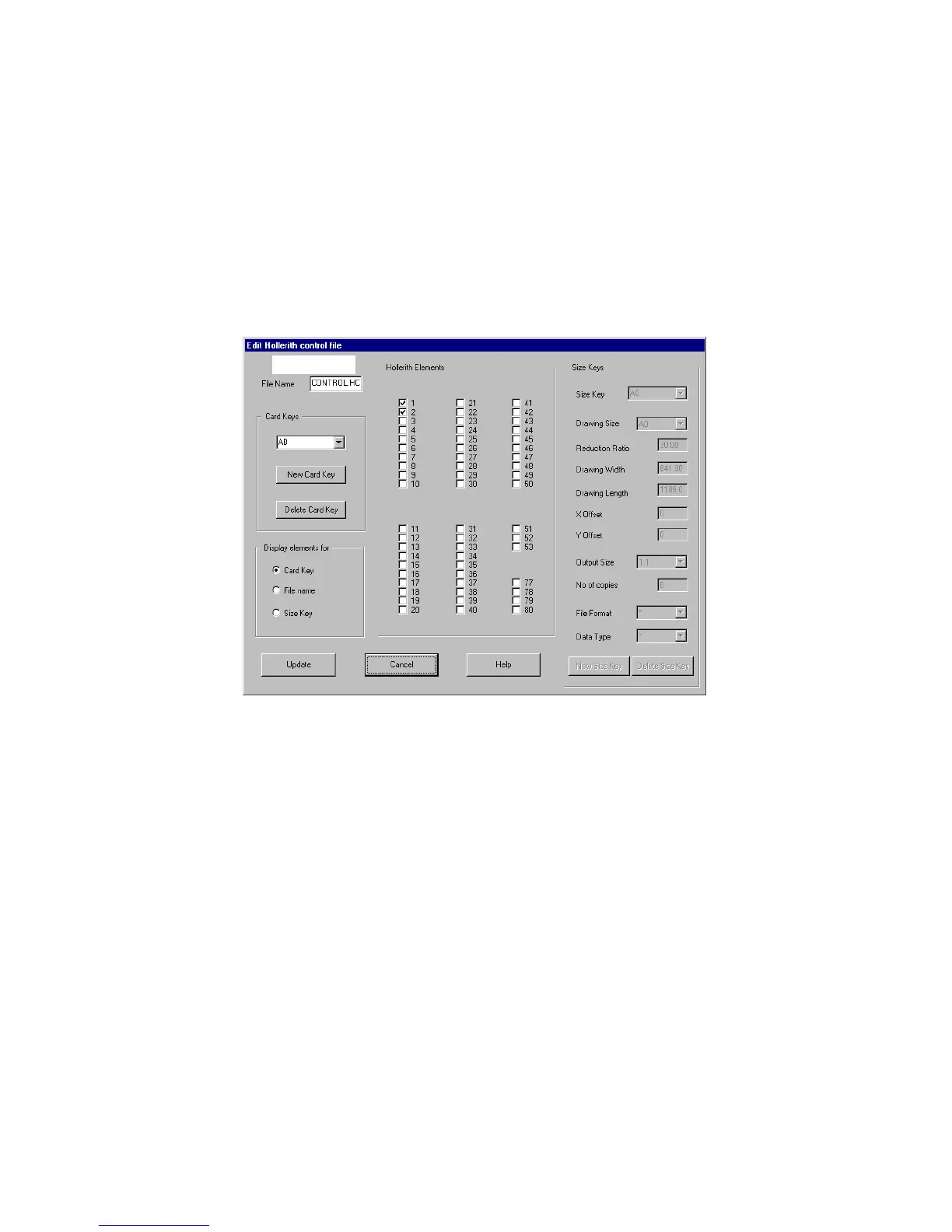
Editing the Hollerith Control File When you click the Edit File button in the
Hollerith Control entry box, the Edit Hollerith Control File window will
appear.
[33] The Edit Hollerith Control File window
This window has the following parts:
■ The name of the Hollerith Control File
■ Card Keys
■ Filename
■ Size Keys
■ A table to switch on/off the Hollerith elements
2089.tif



 To Next Page