76 Océ 3050 User Manual
[54] OJT inclusions blocks
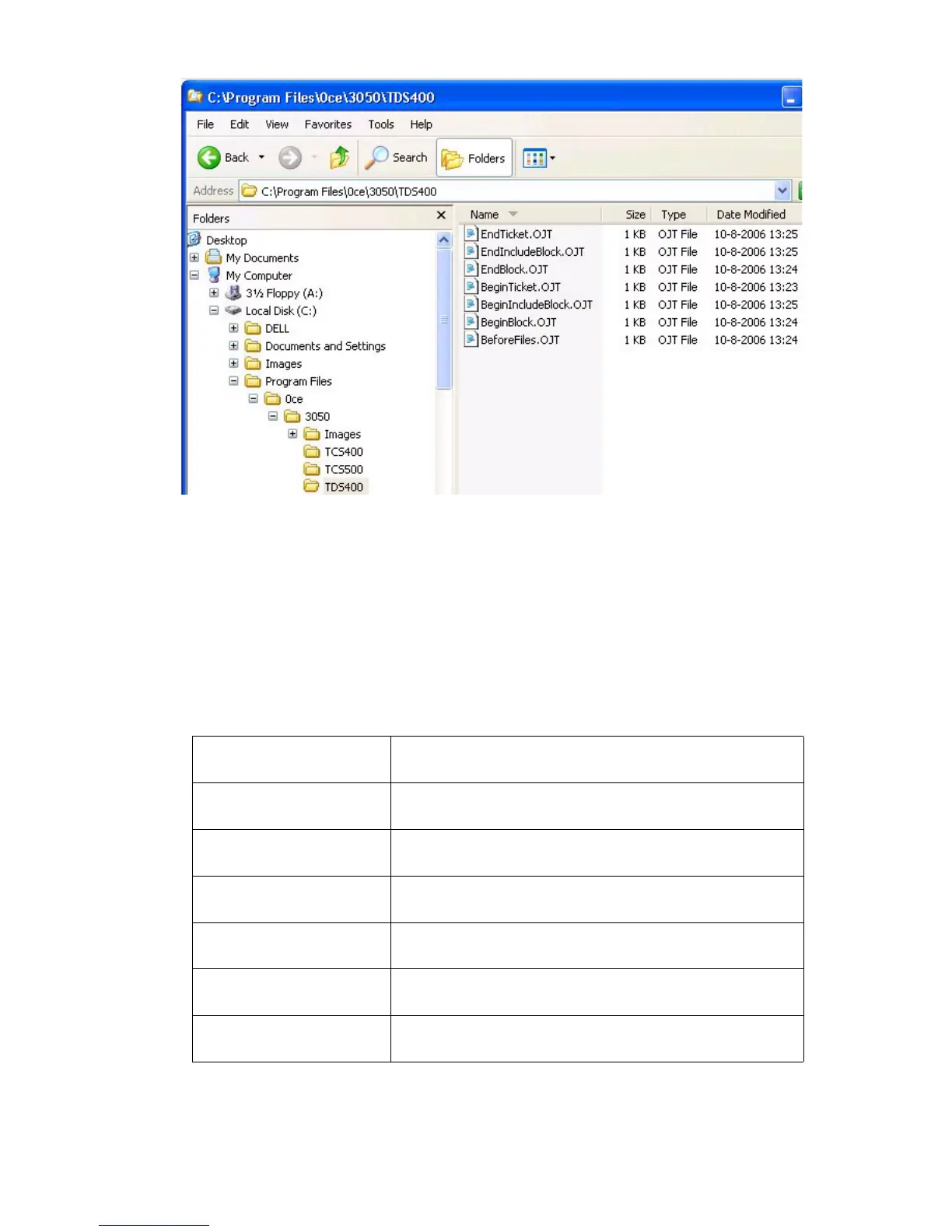
When the microfilm scanner submits a file to the TCS or TDS additional OJT
commands may be added to the OJT header by using simple text files. These
files must exist in a sub-folder with printer name of the main installation folder.
These file may not be greater than 1024 characters in length, must consist of
valid OJT commands, and must be named exactly as specified. The contents of
these files are added as-is into the specified locations of the OJT stream as
indicated below. Use at your own risk.
BeginTicket.OJT The contents of this file are inserted immediately after
the BeginTicket command.
BeforeFiles.OJT The contents of this file are inserted immediately be-
fore the first BeginBlock command.
BeginBlock.OJT The contents of this file are inserted immediately after
the InputSegment command.
EndBlock.OJT The contents of this file are inserted immediately be-
fore the EndBlock command.
BeginInclude-
Block.OJT
The contents of this file are inserted immediately after
each IncludeBlock command.
EndIncludeBlock.OJT The contents of this file are inserted immediately be-
fore each EndBlock command.
EndTicket.OJT The contents of this file are inserted immediately be-
fore EndTicket command.



 To Next Page