28 Océ VarioPrint 2090 Configuration and maintenance manual
Illustration
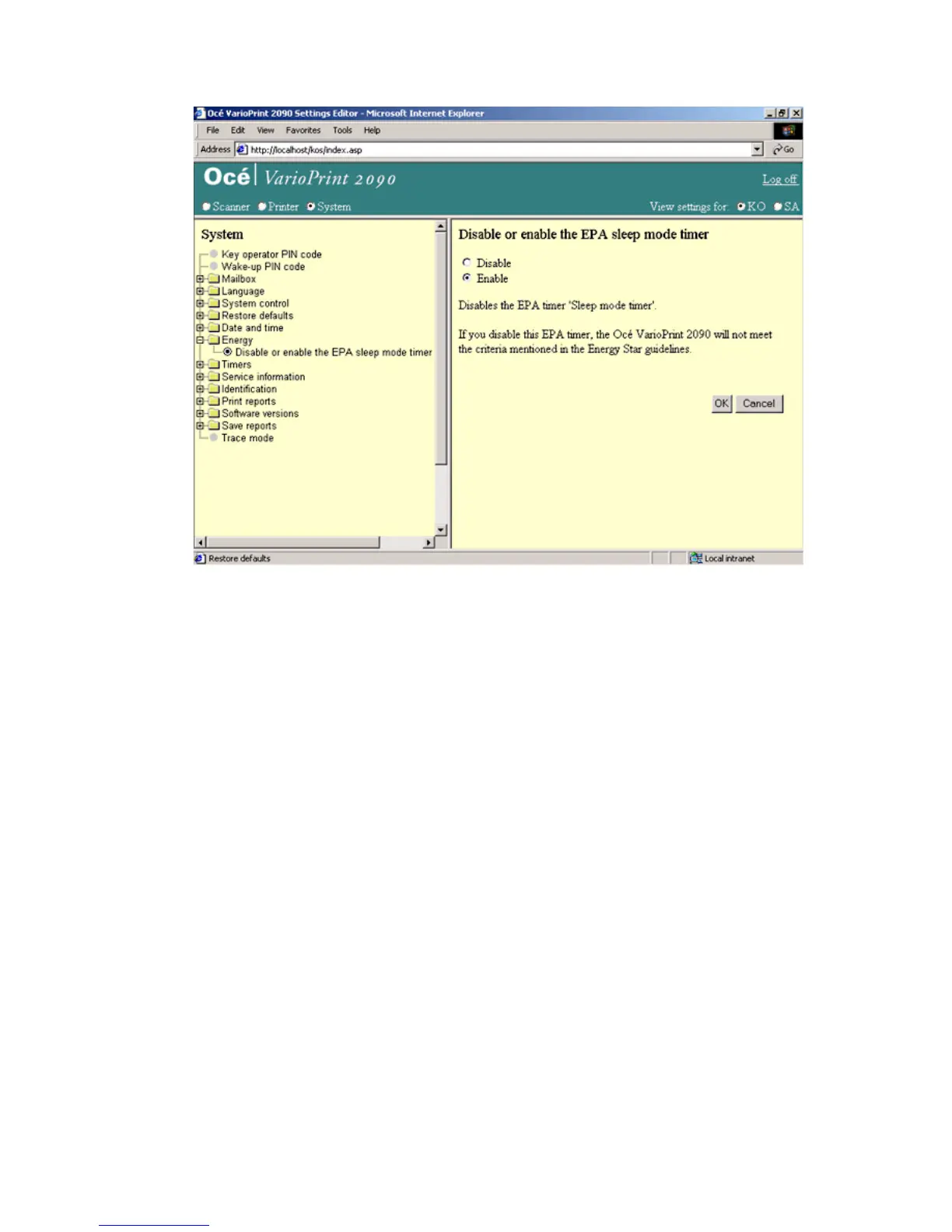
[10] Disable the EPA sleep m ode timer
[10] Disable the EPA sleep mode timer
How to disable the EPA sleep mode timer
1
Select 'System' in the title bar of the Océ VarioPrint 2090 Settings Editor.
2 Click 'Energy'.
3 Select 'Disable EPA sleep mode timer'.
4 Select 'Disable' to turn off the EPA mode. Select 'Enable' to turn on the EPA
mode.
5 Click the 'OK' button to apply the changes.














 To Next Page