24
SET MODES
Settings are divided into 2 categories. Set Mode #1 includes
several settings that you would change more often and Set
Mode #2 includes those items not likely to change once you
set them. Set Mode 2 can be accessed by first entering
settings in Set Mode 1, or by bypassing Set Mode 1.
Settings can be made one after the other, or you can access
a specific item that you want to set, bypassing others. Set
points can be advanced by scrolling (press/hold) or one
increment at a time (press/release < 2 seconds)
Set Mode Access Timing
While in Surface Mode, press Both buttons simultaneously
and hold -
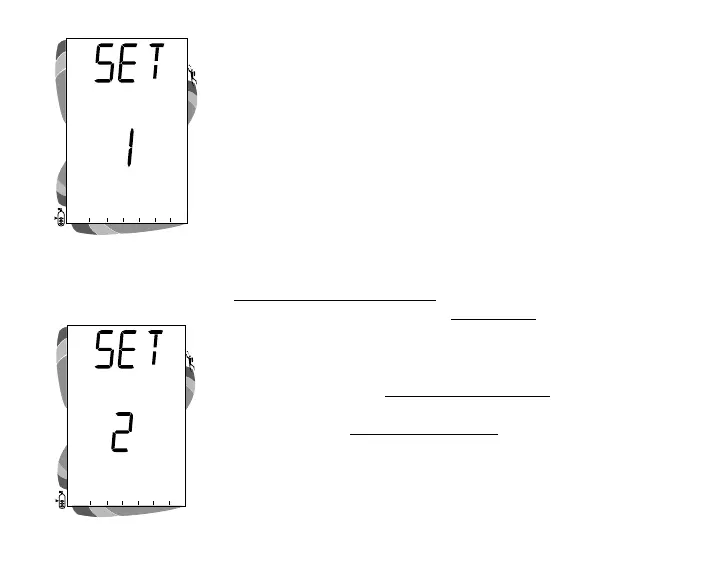
• after 2 seconds, SET: 1 appears (Fig. 17)
• after 2 more seconds, SET: 2 appears (Fig. 18)
• Access is gained by releasing the buttons during the 2
second window in which SET: 1 or SET: 2 appears. then
pressing the Left (Advance) button.
• If the buttons are held longer, and SET 1 and 2 are both
bypassed, the unit will go to Simulator (Demo) Mode
which is described on page 75.
• While in the Set Mode, if neither button is pressed during
a 2 minute period, the unit will revert to Surface Mode.
Fig. 17 - Set Mode 1
Fig. 18 - Set Mode 2
ATR
O
2
N
2
ATR
O
2
N
2



 To Next Page