72
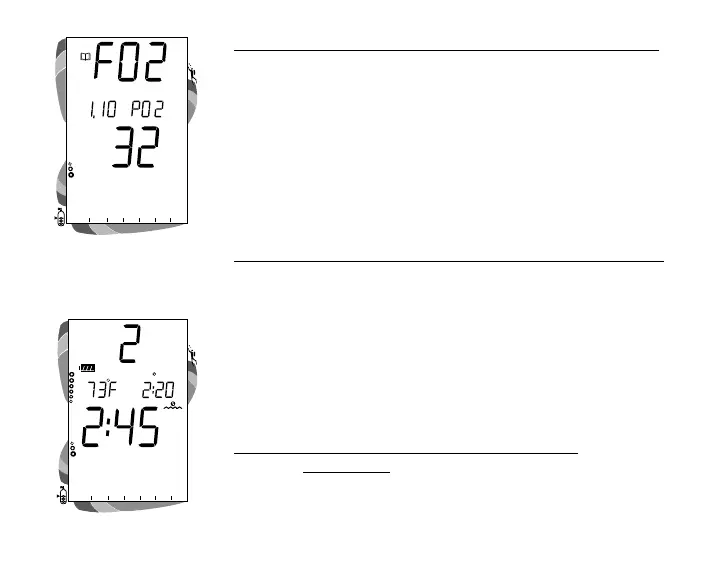
To view the Third Screen of the Log (Oxygen data)
• Press the Right (Select) button 1 time (while viewing the
Nitrogen data). Displayed will be (Fig. 79)-
• Log Mode icon
• FO2 graphic and value set for that dive
• Maximum PO2 level reached during that dive and PO2
graphic
• O2 Bar Graph - showing oxygen loading at the end of
the dive
To access the first screen of the previous dive's Log
• Press the Left (Advance) button 1 time.
AFTER THE FIRST 2 HOURS
Two hours after the last dive, Surface Mode will no longer be
displayed, the Time to Fly and Desaturation countdowns will
be displayed alternately for 3 seconds each until they count
down to 0:00 or another dive is made.
To access other modes or enter settings -
• Press Either button to return to Surface Mode (Fig. 80).
• The unit will again revert to the Time to Fly and
Desaturation countdowns after 2 hours, if no button is
pressed.
Fig. 80 - Surface Mode
Fig. 79 - Log (Oxygen Data)
ATR
O
2
N
2
ATR
O
2
N
2



 To Next Page